The 12 Best API Testing Tools for Developers in 2026
Discover the 12 best API testing tools for every use case. Our 2026 guide compares Postman, Insomnia, k6, and more to help you choose the right solution.

API testing is a critical, non-negotiable step in modern software development. A robust API is the backbone of your application, and ensuring its reliability, performance, and security requires the right set of tools. But with a crowded market ranging from simple clients to comprehensive platforms, the process of choosing the right one can be overwhelming. This guide cuts through the noise to help you find the best API testing tools for your specific needs.
We've compiled and analyzed the top 12 options available today, categorized by their primary strengths. Whether you need an all-in-one platform like Postman, a developer-centric client like Insomnia, a specialized performance tester like Grafana k6, or a privacy-first solution like Bruno, this list provides a clear path forward. Before diving into the various tools, it's essential to have a solid grasp of fundamental concepts such as What Is Rest Api. Understanding these principles will help you better evaluate which features are most important for your projects.
This resource is designed to be a practical decision-making guide. For each tool, you will find:
- A concise description of its core function.
- Key features and ideal use-case scenarios.
- An honest assessment of pros and cons based on real-world usage.
- Relevant pricing information and integration capabilities.
We skip the marketing fluff and focus directly on the details that matter. Our goal is to equip your team with the information needed to select a tool that fits your workflow, budget, and technical requirements, helping you build more resilient and dependable software.
1. Postman
Postman is often the first tool developers reach for when working with APIs, and for good reason. It has evolved from a simple API client into a comprehensive platform that supports the entire API lifecycle. For teams looking for the best API testing tools, Postman provides an integrated environment for designing, mocking, documenting, and testing APIs, making it a central hub for collaboration. Its strength lies in its gentle learning curve for simple requests, coupled with a deep feature set for complex scenarios.
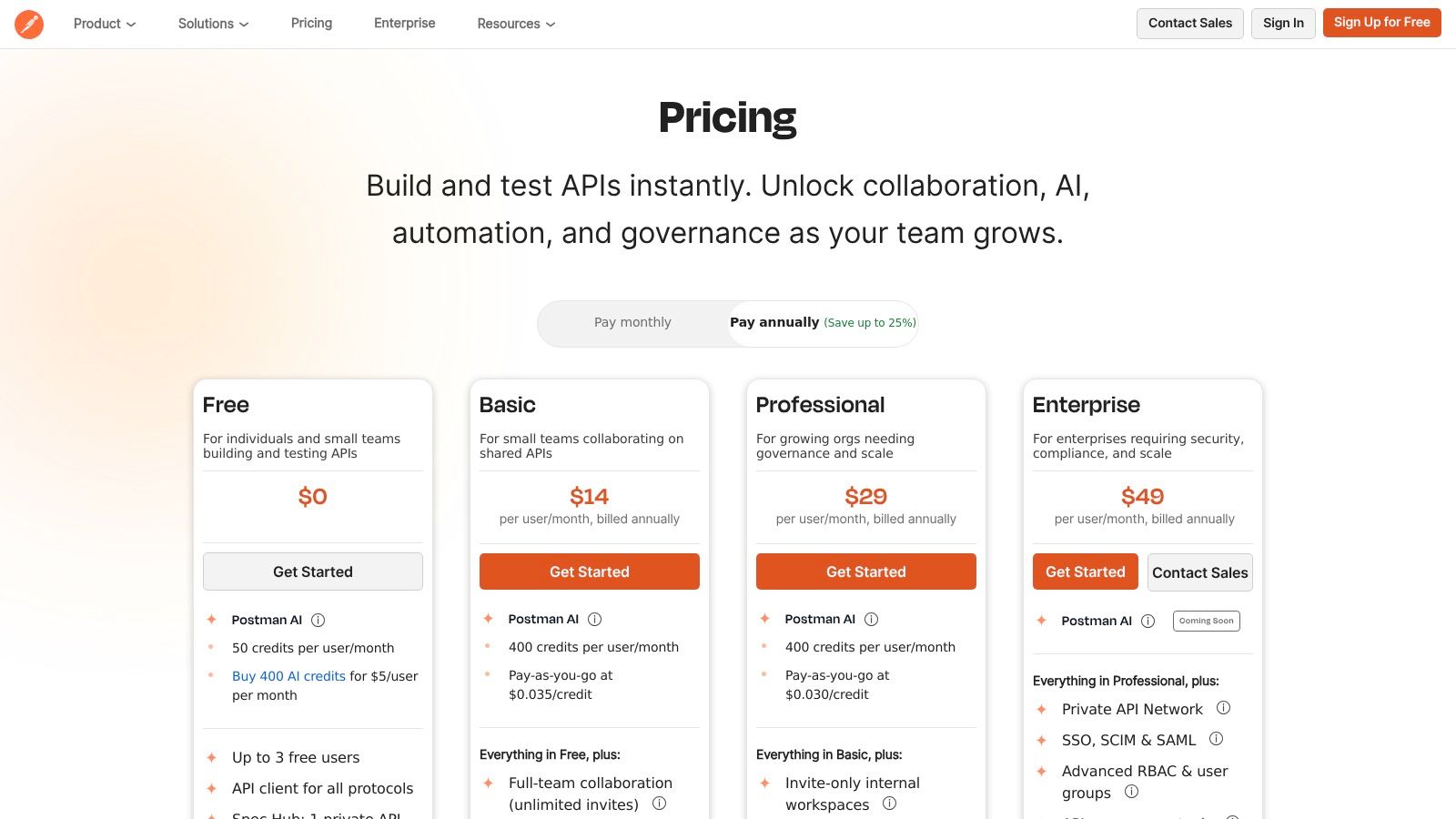
The platform shines in its ability to scale from an individual developer’s workbench to an enterprise-wide governance tool. You can start by sending basic REST or GraphQL requests and then gradually build sophisticated test suites using JavaScript for assertions. Shared Workspaces enable seamless team collaboration, while features like monitoring and mock servers allow you to simulate and validate API behavior before it even goes live.
Key Information
- Ideal Use Case: Teams of all sizes needing a unified platform for the entire API lifecycle, from design and manual testing to automated validation and monitoring.
- Pricing: Postman offers a robust Free tier for individuals and small teams. Paid plans start at $14/user/month (billed annually) for the Basic tier, unlocking more collaboration features and higher usage limits. Exploring different SaaS pricing strategies can provide context on how tools like Postman structure their value.
- Pros: Extensive ecosystem, powerful scripting capabilities, excellent for team collaboration.
- Cons: The desktop client can feel resource-intensive; advanced governance and security features are locked behind higher-priced enterprise tiers.
Website: https://www.postman.com/
2. ReadyAPI (SmartBear) & SoapUI Open Source
SoapUI has long been a cornerstone in the world of API testing, particularly for SOAP and web services. It exists as two distinct offerings: the free SoapUI Open Source for fundamental functional testing, and the commercial ReadyAPI platform, which expands on this foundation with a comprehensive suite for functional, security, and performance testing. For teams that require enterprise-grade breadth and a focus on complex protocols, ReadyAPI stands out as one of the best API testing tools available.
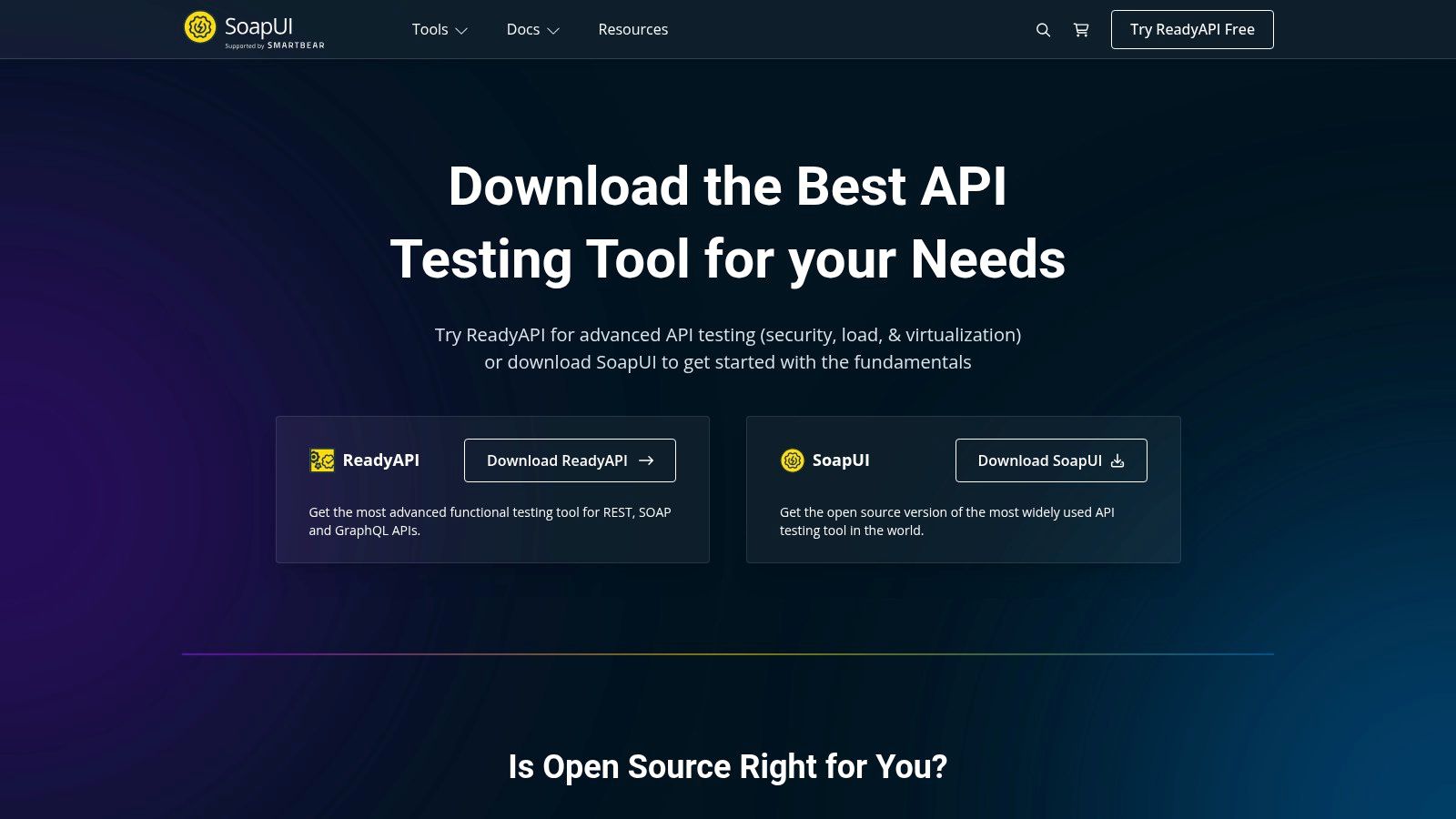
The platform’s key differentiator is its all-in-one, desktop-centric approach. While SoapUI Open Source provides a solid starting point for functional testing, ReadyAPI integrates load testing, security scanning, and service virtualization into a single interface. This allows teams to create a functional test and, with a single click, convert it into a performance test or a security scan. This unified workflow is highly efficient for organizations that need to cover multiple quality assurance disciplines without juggling separate tools for each task.
Key Information
- Ideal Use Case: Enterprises and QA teams requiring a robust, all-in-one desktop solution for comprehensive functional, security, and performance testing, especially in complex SOAP/WSDL environments.
- Pricing: SoapUI Open Source is Free. The commercial ReadyAPI platform is licensed per module, with prices starting from $979/user/year for the API Test module.
- Pros: Mature, enterprise-grade testing capabilities, comprehensive suite covering functional, security, performance, and virtualization, extensive documentation and ecosystem.
- Cons: Commercial modules are pricier than many cloud tools; desktop-centric workflows can be heavier to manage and less suited for cloud-native CI/CD pipelines.
Website: https://www.soapui.org/downloads/soapui/?utm_source=openai
3. Insomnia (by Kong)
Insomnia emerges as a sleek, developer-first alternative in the API client space, appealing to those who value a clean user interface and robust Git-native workflows. As one of the best API testing tools, it offers a streamlined experience for designing, debugging, and testing multi-protocol APIs including REST, GraphQL, gRPC, and WebSockets. Its open-source core and focus on developer experience make it a formidable choice for teams prioritizing speed and simplicity.
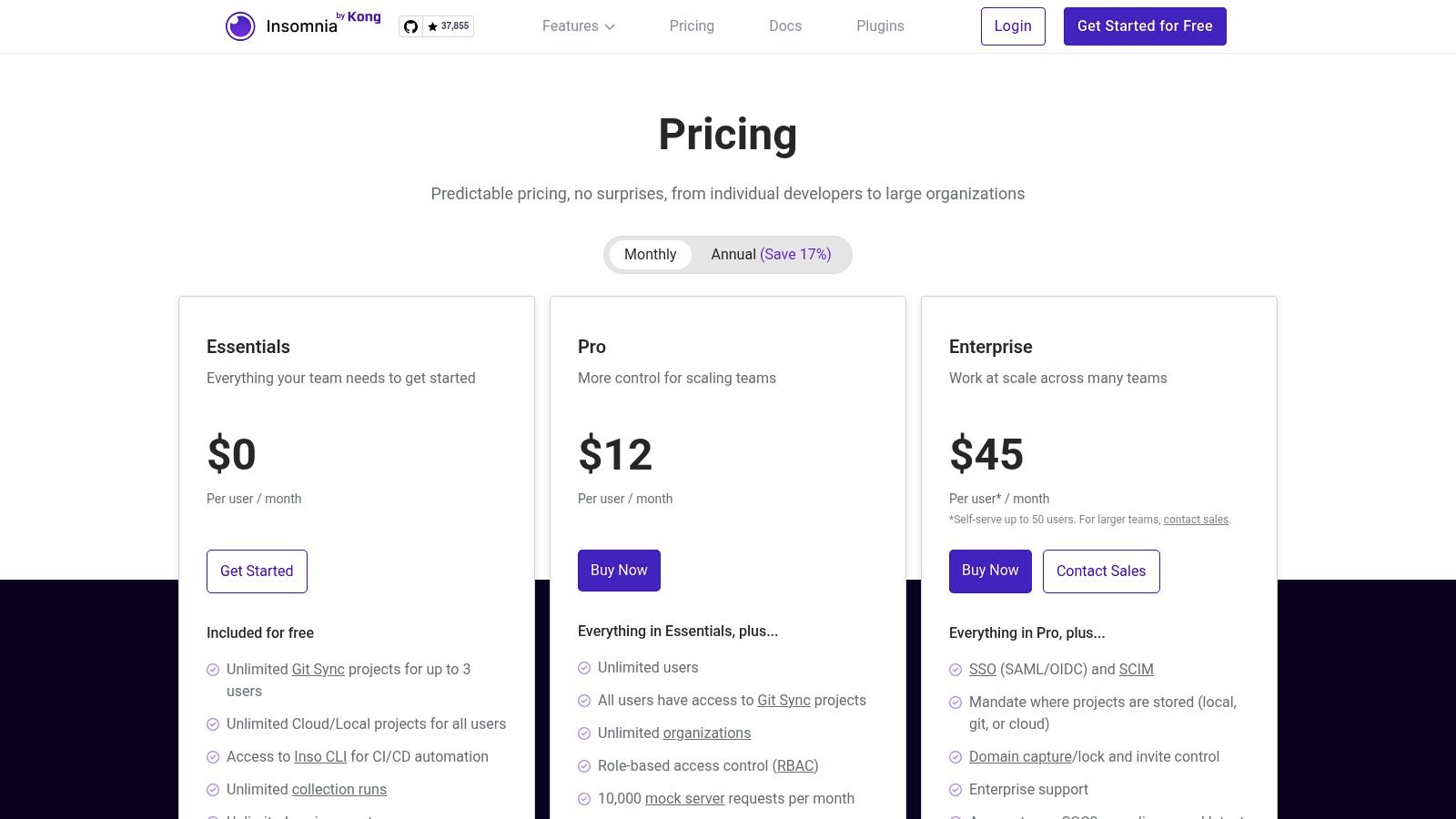
The platform differentiates itself with powerful, built-in Git synchronization, allowing developers to manage API specifications and test suites as code directly within their existing version control systems. This approach simplifies collaboration and change management significantly. Furthermore, Insomnia's CLI tool, inso, enables seamless integration into CI/CD pipelines, making it easy to automate API tests and linting directly from the command line, ensuring quality is maintained throughout the development lifecycle.
Key Information
- Ideal Use Case: Developers and teams who prefer a Git-native workflow, a clean UI, and need multi-protocol support without the overhead of a more extensive platform.
- Pricing: Insomnia provides a generous Free version with core features. Paid plans start at $8/user/month (billed annually), which adds team collaboration, unlimited mock servers, and end-to-end encryption (E2EE).
- Pros: Clear, developer-friendly UX, robust free tier with unlimited runs and environments, strong Git workflows and E2EE security options.
- Cons: Some enterprise controls (SSO/SCIM, unlimited mocks) are on higher tiers; smaller ecosystem compared with Postman.
Website: https://insomnia.rest/pricing
4. Hoppscotch
Hoppscotch presents a compelling open-source alternative in the API testing landscape, positioning itself as a lightweight, web-first platform. For developers seeking one of the best API testing tools without the overhead of a heavy desktop client, Hoppscotch delivers a fast, accessible experience directly in the browser. It's built for speed and simplicity, allowing you to send requests and inspect responses instantly, making it an excellent choice for quick, ad-hoc testing and debugging tasks.
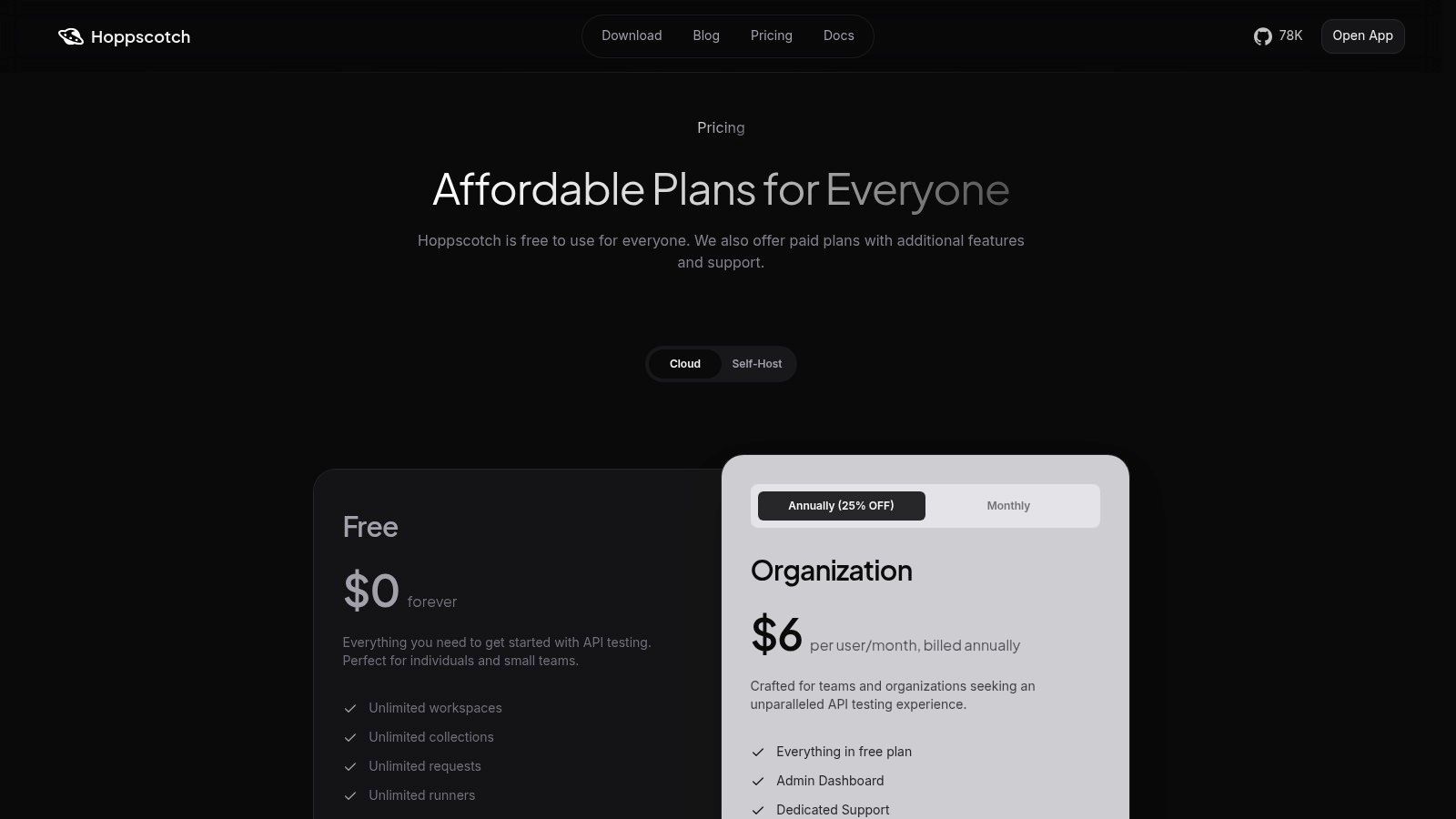
The platform’s strength lies in its frictionless, real-time collaboration and open-source nature. Teams can create shared collections and environments, with changes syncing instantly across all members, fostering a highly collaborative workflow. With support for REST, GraphQL, and WebSocket APIs, it covers a wide range of use cases. Furthermore, its self-hosting option provides complete data control and customization for organizations with specific security or infrastructure requirements.
Key Information
- Ideal Use Case: Individuals and teams looking for a free, fast, browser-based API client for rapid testing, and organizations that prefer a self-hostable, open-source solution.
- Pricing: Hoppscotch has a generous Free cloud plan with unlimited requests and personal collections. The Teams plan starts at $7/user/month (billed annually), which adds shared collections and role-based access control.
- Pros: Very fast to start-no install required, unlimited usage on the free plan, simple and affordable organization tier.
- Cons: Lighter on enterprise governance and reporting than larger suites, smaller plugin and extension ecosystem.
Website: https://hoppscotch.com/pricing?utm_source=openai
5. Bruno
Bruno is a fast-growing, open-source API client that prioritizes an offline-first and Git-friendly workflow. Unlike cloud-centric platforms, Bruno stores all your API collections directly on your filesystem as plain-text files with a .bru extension. This design choice makes it one of the best API testing tools for developers and teams who want to version-control their API tests alongside their application code, enhancing privacy and simplifying collaboration through existing Git workflows like pull requests.
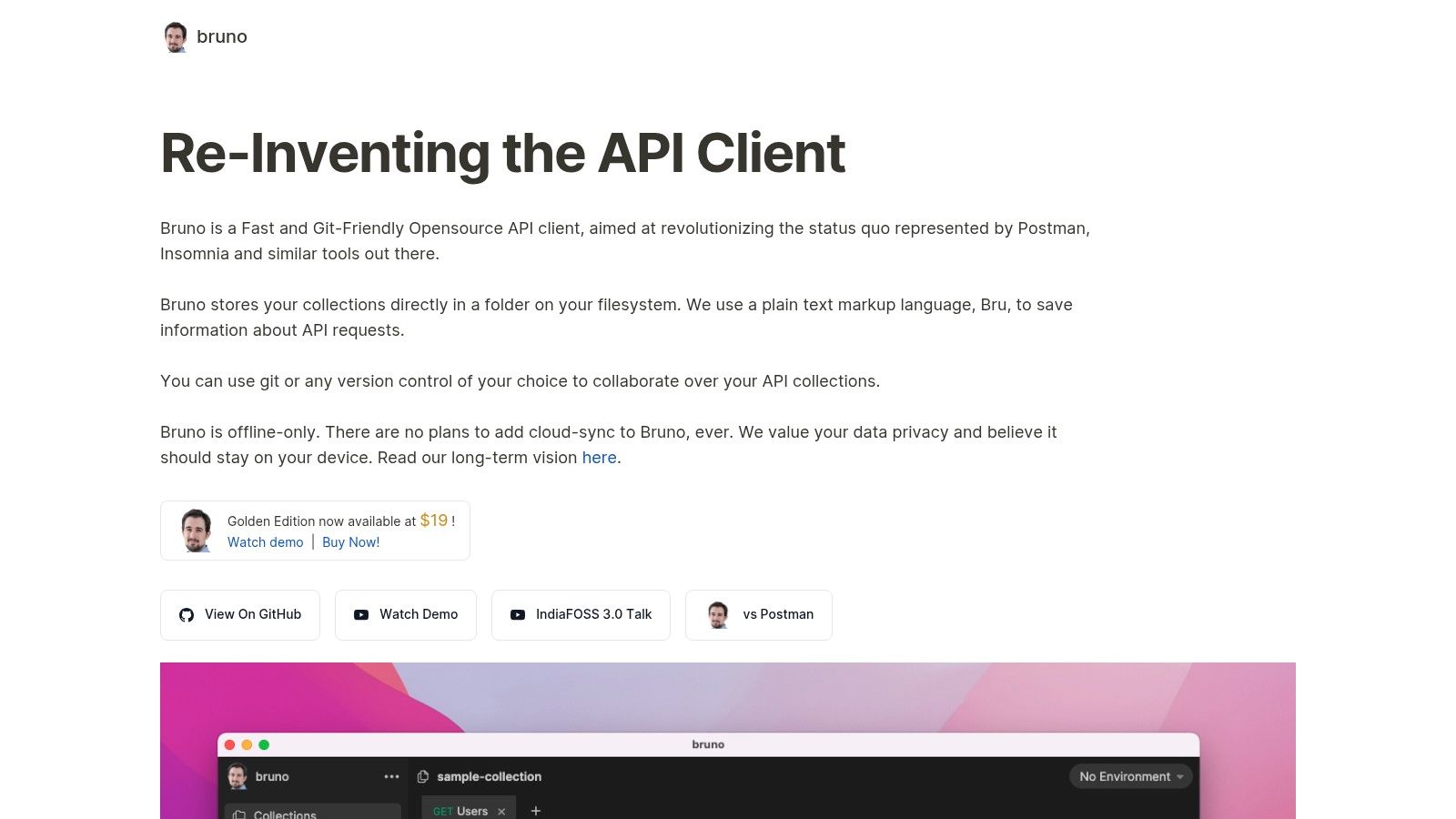
The platform is built for speed and simplicity, offering a lightweight and intuitive interface for sending requests and writing assertions with basic JavaScript. Its core philosophy revolves around developer control and data ownership, ensuring that your API collections are never locked into a proprietary cloud service. This makes it an excellent choice for organizations with strict data compliance requirements or teams that live and breathe in their repositories.
Key Information
- Ideal Use Case: Developers and teams who prioritize Git-based version control, offline access, and data privacy for their API testing and development workflow.
- Pricing: Bruno is completely Free and open-source for its core local client features. A premium Golden Edition is available for a one-time purchase of $19, which adds advanced features like in-collection secret management and visual sequence diagrams.
- Pros: Excellent for privacy- and compliance-focused teams, easy versioning and code review of API tests, lightweight footprint and repo-first workflow.
- Cons: No hosted collaboration or web access by design; the community and feature set are smaller compared to established platforms like Postman.
Website: https://www.usebruno.com/
6. Grafana k6 (Cloud & OSS)
Grafana k6 shifts the focus from purely functional testing to a developer-centric approach for load and performance validation. While many tools test what an API does, k6 is purpose-built to test how it performs under stress, making it one of the best API testing tools for ensuring reliability and scalability. Its core strength is enabling engineers to write sophisticated performance tests in familiar JavaScript, integrating them directly into the CI/CD pipeline to catch performance regressions before they hit production.
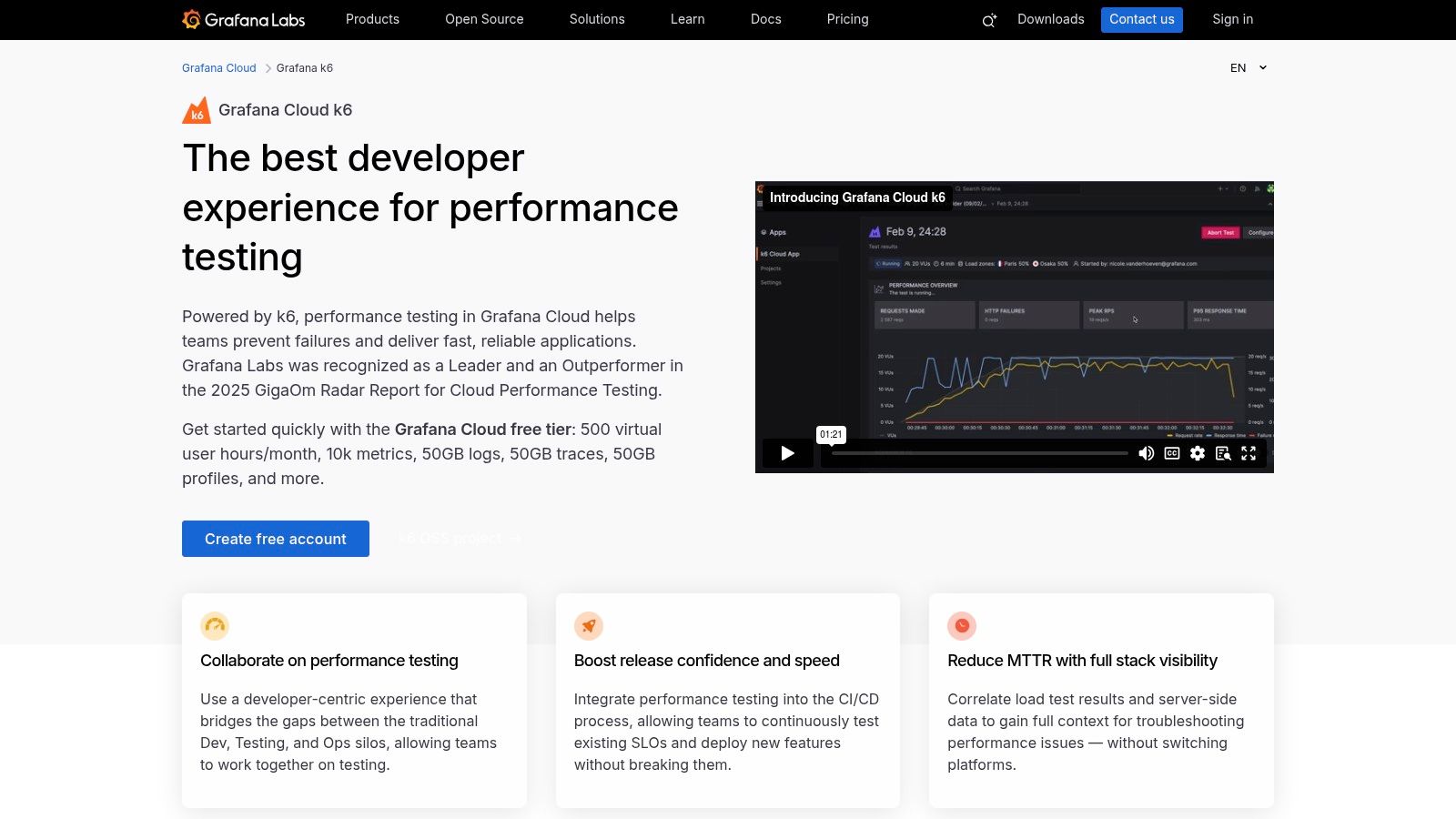
The platform operates on a flexible hybrid model: a powerful open-source tool for local testing and a fully managed cloud service for large-scale distributed tests. This allows teams to start small, running tests on a developer's machine, and then seamlessly scale to simulate millions of virtual users with Grafana Cloud k6. This makes it ideal for validating service-level objectives (SLOs), running chaos engineering experiments, and ensuring your infrastructure can handle peak traffic without compromising the user experience.
Key Information
- Ideal Use Case: Engineering teams focused on API performance, reliability, and scalability, who need to integrate load testing directly into their development and CI/CD workflows.
- Pricing: The open-source k6 tool is Free. Grafana Cloud k6 operates on a usage-based model with a generous Free tier that includes 500 virtual user-hours per month. Paid plans offer higher limits and more features based on consumption.
- Pros: Excellent for performance testing and SLO validation, flexible model with open-source and managed cloud options, transparent usage-based cloud pricing.
- Cons: Primarily focused on performance over deep functional assertions; cloud usage costs can accumulate quickly with very high-volume testing.
Website: https://grafana.com/products/cloud/k6/?utm_source=openai
7. Karate Labs (Karate OSS + Xplorer)
Karate Labs offers a unique, code-centric approach by combining an open-source framework with a user-friendly desktop client. It stands out as one of the best API testing tools for teams that want to unify API, UI, performance, and mock testing within a single, cohesive framework. The core strength of Karate is its BDD-style syntax, which makes test scripts readable even for non-programmers while retaining the full power of a programming environment.
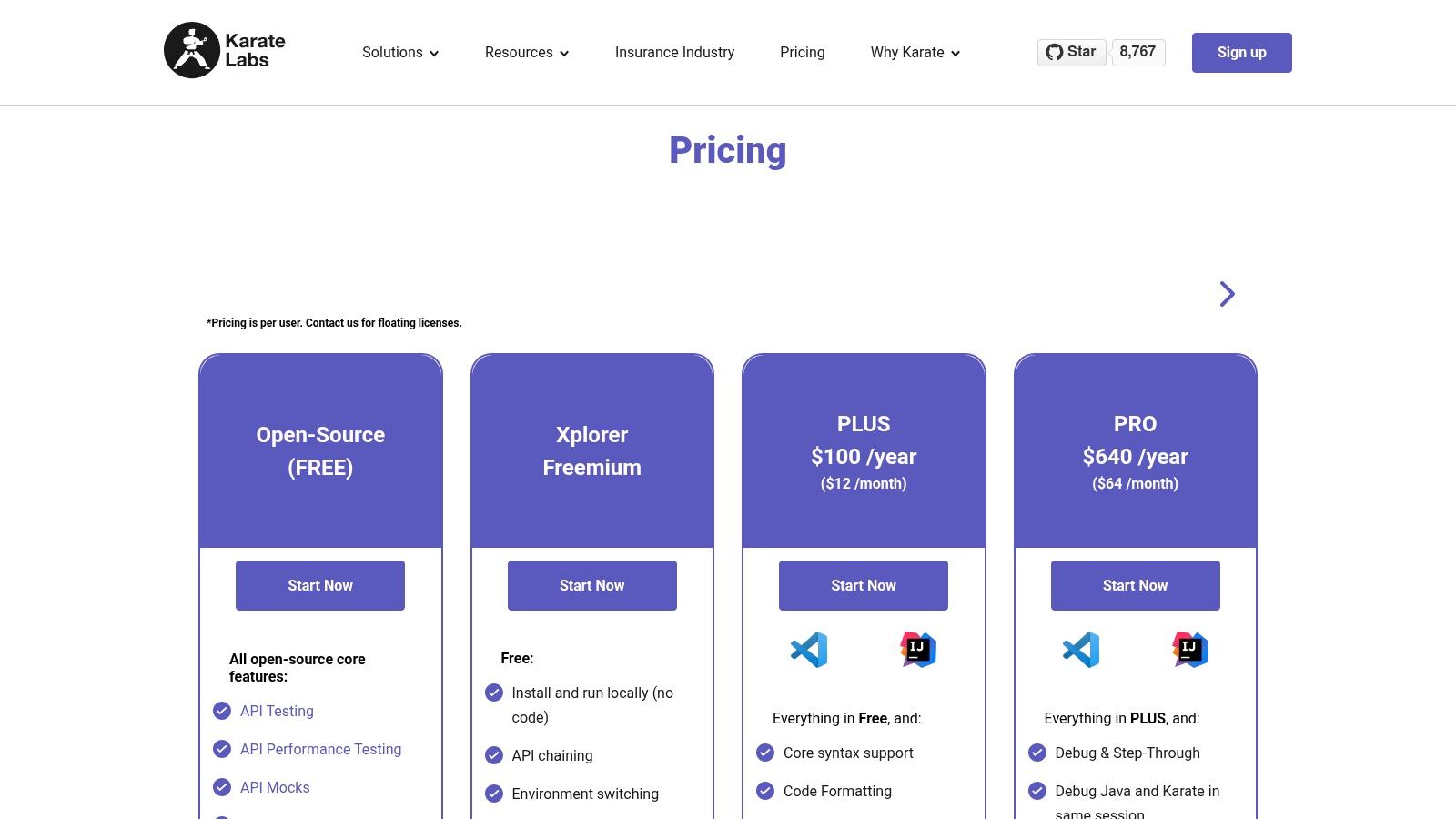
The platform effectively bridges the gap between no-code and pure-code solutions. The open-source core (Karate OSS) allows engineers to build robust, version-controlled test suites that integrate seamlessly into CI/CD pipelines. Meanwhile, its desktop client, Xplorer, streamlines the migration process by allowing users to import Postman collections, Swagger/OpenAPI specs, or cURL commands and convert them into Karate scripts. This makes it an excellent choice for teams looking to transition from manual API clients to a more rigorous, automated testing strategy.
Key Information
- Ideal Use Case: Engineering teams looking for a unified, open-source framework to automate API, performance, and mock testing, especially those migrating from tools like Postman.
- Pricing: The core Karate framework is Free and open-source. The Xplorer desktop client also has a Free tier for local test runs. Paid plans for Xplorer, which include advanced features like test data generation and enhanced reporting, start at $49/user/month (billed annually).
- Pros: Powerful open-source core covers API, performance, and mocks; Xplorer eases migration from other clients; great for code-centric, automated test suites.
- Cons: The OSS framework can have a learning curve for non-coders; some advanced capabilities in the Xplorer client are paid features.
Website: https://www.karatelabs.io/pricing?utm_source=openai
8. Testfully
Testfully positions itself as a powerful, yet budget-friendly, offline-first API testing and monitoring platform. It is built for modern development workflows where speed, collaboration, and security are paramount. For teams searching for the best API testing tools without a steep price tag, Testfully provides a compelling blend of core testing features, CI/CD integration, and secure secrets management, making it an excellent alternative to more established incumbents. Its hybrid model allows developers to work offline with Git integration while syncing to the cloud for team collaboration.
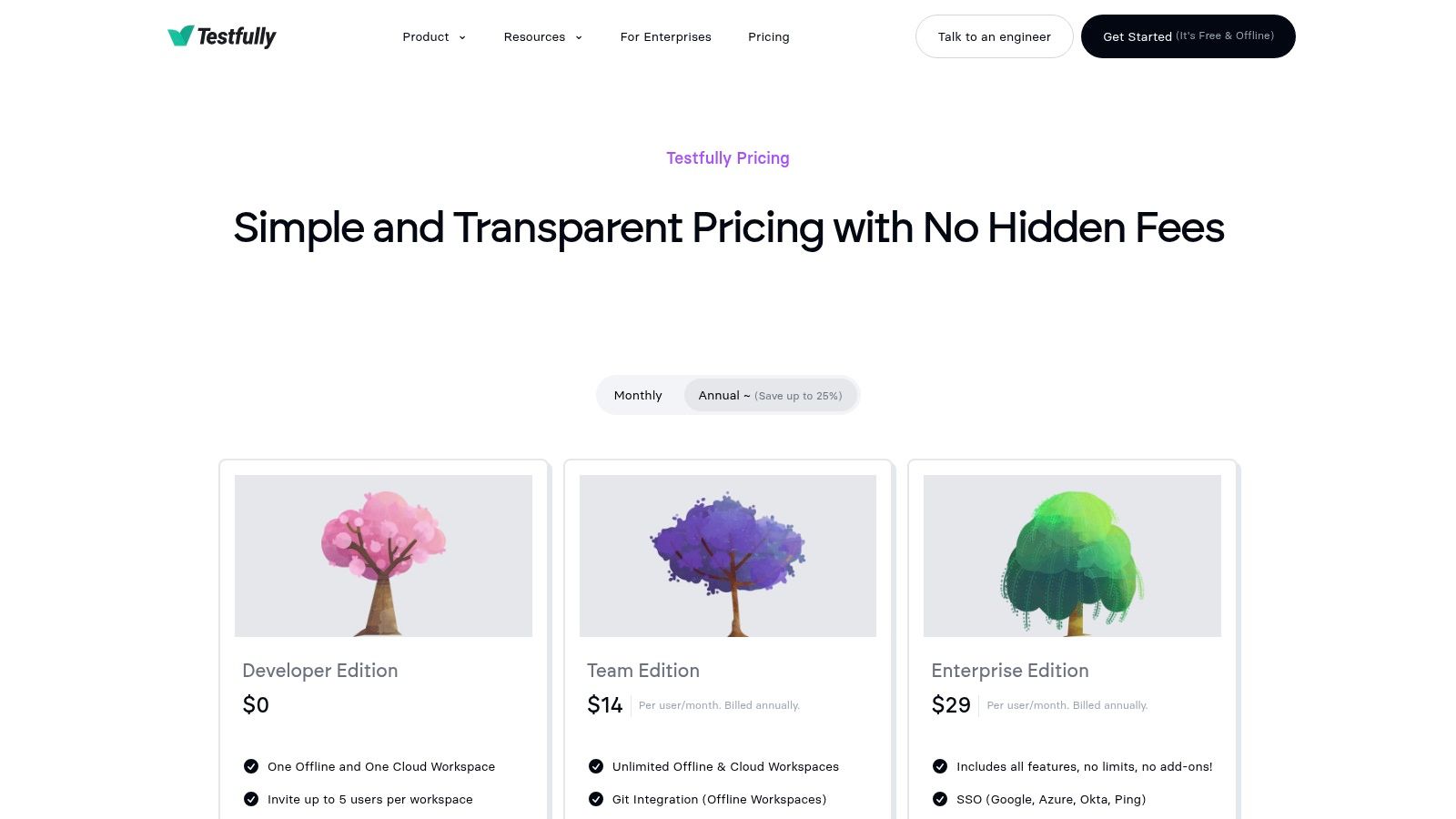
The platform focuses on simplifying the testing process from a developer’s local machine all the way to the CI pipeline. It offers unlimited collection runs and workspaces, even in its free tier, which is a significant advantage for individuals and small teams. Features like its CI-friendly CLI, Role-Based Access Control (RBAC), and integration with secret management providers like AWS and Azure highlight its suitability for professional team environments that need to manage sensitive data securely.
Key Information
- Ideal Use Case: Startups and development teams needing a cost-effective, collaborative API testing tool with robust CI/CD integration and a strong offline-first workflow.
- Pricing: Testfully offers a generous Free developer tier with unlimited offline workspaces. The Team plan starts at a very competitive $10/user/month (billed annually), which includes unlimited shared workspaces and CI/CD runs. API monitoring is available as a usage-based add-on.
- Pros: Straightforward and affordable pricing, hybrid offline/online model enhances privacy and flexibility, designed for easy team onboarding and CI integration.
- Cons: The ecosystem and community are smaller compared to larger players; API monitoring is a separate, credit-based cost rather than being unlimited.
Website: https://testfully.io/pricing/?utm_source=openai
9. Apidog
Apidog positions itself as a powerful all-in-one platform designed to reduce tool sprawl by integrating API design, debugging, testing, mocking, and documentation into a single collaborative workspace. For teams searching for the best API testing tools that also cover the entire development lifecycle, Apidog presents a compelling, unified solution. Its core strength is enabling seamless transitions between different stages, such as turning a design specification directly into a test case or a mock server.
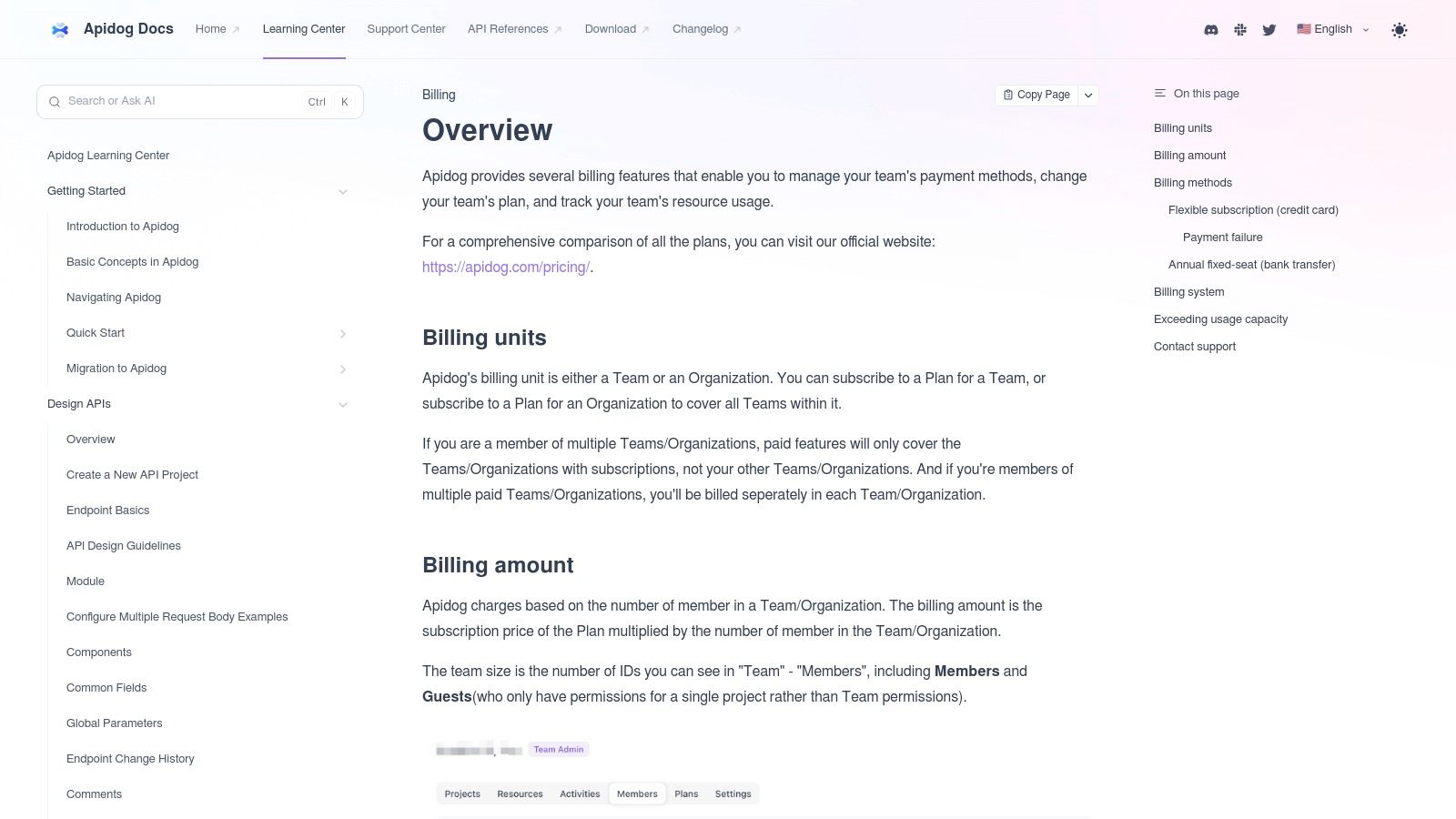
The platform supports complex, multi-step test scenarios, allowing you to chain requests, use variables, and add assertions to validate intricate business logic. A standout feature for enterprise environments is its flexibility, offering both cloud-based and self-hosted deployment options, including on-premise mock servers and proxies. This gives security-conscious organizations greater control over their data and infrastructure while still benefiting from modern API development workflows.
Key Information
- Ideal Use Case: Teams looking for an integrated, cost-effective platform to manage the entire API lifecycle, especially those needing self-hosted options for enhanced security and control.
- Pricing: Apidog offers a generous Free tier for individuals. The Team plan starts at $10/user/month (billed annually), which unlocks unlimited projects and enhanced collaboration features. Enterprise plans offer private deployment and advanced security.
- Pros: Reduces tool sprawl by combining multiple lifecycle stages, competitive pricing for small to mid-sized teams, offers self-hosted and on-premise deployment options.
- Cons: As a newer platform, its ecosystem is less mature than some legacy incumbents; some advanced governance features are reserved for higher-tier plans.
Website: https://docs.apidog.com/overview-616932m0?utm_source=openai
10. SwaggerHub Explore (SmartBear)
SwaggerHub Explore is a lightweight, in-browser API client that bridges the gap between API design and initial validation. It is less a standalone testing powerhouse and more an integrated extension of the SwaggerHub design workflow. For teams searching for the best API testing tools to integrate directly into their API design lifecycle, Explore offers a frictionless way for developers and consumers to interact with API definitions, send requests, and inspect responses without leaving the documentation context. Its core value lies in making APIs instantly interactive and testable from the moment they are designed.
The platform excels at providing an immediate "try it now" experience directly within the API design and documentation environment. This allows API designers to quickly validate their endpoints and consumers to understand API behavior without setting up a separate client. You can send ad-hoc requests, analyze responses, and then save those interactions as part of your SwaggerHub project, promoting a tight feedback loop between design, documentation, and basic functional testing. It streamlines early-stage validation before handing off to more comprehensive tools like ReadyAPI.
Key Information
- Ideal Use Case: API designers, developers, and technical writers who need a quick, integrated way to validate API endpoints directly from SwaggerHub documentation.
- Pricing: SwaggerHub Explore is a feature within the broader SwaggerHub platform. A Free plan is available with basic features. Paid plans start at $75/month (billed annually) for the Team plan, which includes more advanced collaboration and design features.
- Pros: Seamless integration with the Swagger design workflow, excellent for quick validation and documentation-driven testing, lowers the barrier for API consumers to try out endpoints.
- Cons: Not a substitute for a dedicated, comprehensive API testing tool; lacks features for complex test automation, performance testing, and detailed reporting.
Website: https://swagger.io/api-hub/explore/?utm_source=openai
11. G2
While not a testing tool itself, G2 is an indispensable resource for discovering and evaluating the best API testing tools on the market. It serves as a comprehensive peer-review platform where real users share their experiences, providing unfiltered insights that go beyond marketing copy. For teams trying to navigate a crowded landscape, G2 offers a data-driven starting point for building a shortlist of potential solutions based on verified reviews and satisfaction scores.
The platform excels at helping you compare tools side-by-side using its "Grid" reports, which plot vendors based on user satisfaction and market presence. You can filter options by company size, specific features, and user ratings, making it easier to identify tools that fit your exact needs. Reading detailed reviews often uncovers practical pros and cons related to daily use, customer support, and implementation challenges, which is crucial for making an informed decision.
Key Information
- Ideal Use Case: Research and discovery phase for teams wanting to compare API testing tools using verified user reviews, create a shortlist, and understand market trends.
- Pricing: Free to browse reviews and compare products. Vendors pay for enhanced profiles and marketing features, but user-generated content is openly accessible.
- Pros: Access to a large volume of verified user reviews, useful for discovering niche or emerging tools, powerful filtering and comparison features.
- Cons: Rankings can be influenced by the number of reviews a vendor actively seeks; sponsored listings appear alongside organic results, requiring careful evaluation.
Website: https://www.g2.com/categories/automation-testing-tools/f/api-testing?utm_source=openai
12. Capterra
While not a testing tool itself, Capterra is an indispensable resource for teams researching the best API testing tools. It functions as a comprehensive software directory, allowing you to compare dozens of options based on user reviews, feature sets, and deployment models. For decision-makers, its real value lies in providing a bird's-eye view of the market, helping to quickly shortlist candidates that fit specific technical requirements and budgetary constraints.
The platform is particularly useful for filtering by specific criteria, such as open-source vs. commercial, on-premise vs. cloud, and support for specific protocols like SOAP or gRPC. Side-by-side comparisons and direct links to vendor trials streamline the evaluation process, saving significant research time. Using a directory like this ensures you don't overlook niche or emerging tools that might be a perfect fit for your workflow, much like how a roundup of the best productivity tools can reveal unexpected gems.
Key Information
- Ideal Use Case: Research and evaluation phase for teams shortlisting and comparing API testing tools based on features, pricing, and user reviews.
- Pricing: The platform is Free to browse for software buyers. Vendors pay for listings and lead generation.
- Pros: Excellent for discovering specialized tools, easy to compare pricing and deployment models, aggregates real user reviews.
- Cons: Vendor-provided information may not always reflect the latest pricing or features; review quality can be inconsistent across different products.
Website: https://www.capterra.com/p/10001605/API-Tester/?utm_source=openai
Top 12 API Testing Tools Comparison
| Tool | Core focus & features | UX / Quality (★) | Value & Pricing (💰) | Target audience (👥) | Unique selling point (✨ / 🏆) |
|---|---|---|---|---|---|
| Postman | REST/GraphQL/gRPC/WebSocket client, testing, mocking, monitors, governance | ★★★★★ Large ecosystem, polished UX | 💰 Free tier; paid enterprise for advanced features | 👥 Developers → Enterprise API teams | ✨ Large Public API Network, RBAC & governance 🏆 |
| ReadyAPI & SoapUI | Functional, security, load testing, virtualization; Groovy scripting | ★★★★ Mature, desktop-first workflows | 💰 OSS free; commercial modules pricier | 👥 Enterprise QA & test automation teams | ✨ Comprehensive enterprise testing suite 🏆 |
| Insomnia (Kong) | Multi-protocol client, JS tests, CLI, mocking, E2EE, Git sync | ★★★★ Clear, developer-friendly UX | 💰 Strong free tier; paid SSO/enterprise | 👥 Devs & Git-native teams | ✨ Git-native workflows & E2EE |
| Hoppscotch | Browser-first API client, realtime collab, runners, mocking, self-host | ★★★ Fast, minimal friction | 💰 Open-source & free; affordable org tier | 👥 Makers, small teams, quick checks | ✨ Instant browser use; self-host option |
| Bruno | Offline-first, Git-native client storing .bru files, lightweight tests | ★★★ Privacy- and repo-focused UX | 💰 Open-source; no hosted sync costs | 👥 Privacy/compliance teams, repo-centric devs | ✨ Repo-based versioning & offline-first |
| Grafana k6 (Cloud & OSS) | JS-scripted load/perf testing, CI-friendly, Grafana integration, scale VUs | ★★★★ Strong perf testing, SLO validation | 💰 OSS local + usage-based cloud pricing | 👥 SREs, performance engineers | ✨ Scales to millions of VUs; Grafana stack 🏆 |
| Karate Labs (OSS + Xplorer) | BDD-style API/UI/perf tests, mocks, Xplorer import & run | ★★★ Code-centric, powerful but steeper learn curve | 💰 OSS core; some paid Xplorer features | 👥 QA engineers, automated test teams | ✨ Unified OSS for API+UI+perf; easy imports |
| Testfully | Cloud & offline testing, CLI, RBAC, secrets mgmt, monitoring add-ons | ★★★ Straightforward onboarding, hybrid model | 💰 Generous free tier; monitoring credits as add-on | 👥 Small teams, budget-conscious devs | ✨ Hybrid offline/online with secrets mgmt |
| Apidog | API design, testing, mocking, docs, coverage reports, self-host options | ★★★ Integrated lifecycle UX for teams | 💰 Competitive pricing; self-host/enterprise tiers | 👥 SMBs & mid-market teams reducing tool sprawl | ✨ All-in-one lifecycle + self-host options |
| SwaggerHub Explore | In-browser request/response exploration from docs; export to SwaggerHub | ★★★ Frictionless "try it now" experience | 💰 Included with SwaggerHub plans | 👥 API designers & API consumers | ✨ Test endpoints inline with documentation |
| G2 | Verified user reviews, filterable lists, badges, side-by-side comparisons | ★★★ Useful snapshots of user satisfaction | 💰 Free to browse; sponsored content present | 👥 Buyers, shortlisting teams | ✨ Verified reviews & category badges |
| Capterra | Software directory with pricing snapshots, feature lists, comparisons | ★★★ Broad coverage; variable review depth | 💰 Free browsing; vendor contact links | 👥 Buyers, procurement & budget planners | ✨ Pricing snapshots & alternatives for shortlist |
Making Your Final Decision
Navigating the crowded landscape of API testing tools can feel overwhelming, but the right choice boils down to a clear understanding of your team’s unique requirements. We've explored a wide spectrum of options, from comprehensive platforms like Postman that serve as a central hub for the entire API lifecycle, to developer-centric, Git-native tools like Insomnia and Bruno that prioritize clean workflows and version control.
The central theme is clear: there is no single "best" tool for everyone. The ideal solution is the one that seamlessly integrates into your existing development process, matches your team's technical skills, and solves your most pressing API quality challenges. The key is to move beyond feature lists and focus on the practical application within your environment.
Key Takeaways and How to Choose
To crystallize your decision-making process, consider these pivotal factors. Your final choice will likely be a trade-off between power, simplicity, collaboration, and cost.
- For Comprehensive Collaboration and Lifecycle Management: If your team needs a single source of truth for API design, documentation, testing, and monitoring, Postman is the undisputed leader. Its robust collaboration features and extensive integrations make it a powerful choice for larger teams and organizations standardizing their API practices.
- For a Developer-Centric, Git-Friendly Workflow: Developers who live in their code editor and value seamless integration with Git will find Insomnia and Bruno to be excellent fits. Insomnia offers a polished UI and powerful automation, while Bruno’s offline-first, plain-text file approach provides unparalleled control and privacy.
- For Performance and Load Testing: When your primary concern is how your API behaves under stress, Grafana k6 is a top-tier solution. Its "tests-as-code" philosophy, written in JavaScript, makes it incredibly flexible and easy to integrate into CI/CD pipelines for continuous performance validation.
- For Open-Source and Cost-Conscious Teams: If budget is a primary constraint, open-source tools like Hoppscotch, the community edition of SoapUI, and Bruno provide immense value without the subscription fees. Hoppscotch, in particular, stands out for its modern, web-based interface.
- For Integrated Test Automation: For teams looking to combine API testing with UI and other test types in a single framework, Karate Labs offers a unique, script-less approach that simplifies test creation and maintenance for both technical and non-technical team members.
Your Actionable Next Steps
Reading about the best api testing tools is just the first step. True clarity comes from hands-on experience. Follow this simple plan to make an informed decision and implement your chosen tool effectively.
- Define Your Core Needs: List your top three "must-have" features. Is it CI/CD integration? Is it advanced security testing? Or is it ease of use for manual exploratory testing?
- Shortlist 2-3 Contenders: Based on your core needs and the insights from this article, select a small group of tools that seem like the best fit. For example, a startup might compare Postman, Insomnia, and Hoppscotch.
- Conduct a Proof of Concept (PoC): Dedicate a short sprint or a few days to a hands-on trial. Task a small team with building a representative test suite for one of your core APIs in each shortlisted tool.
- Evaluate and Implement: Assess the results of your PoC. Which tool was fastest to learn? Which integrated most easily with your source control and CI server? Make your final selection, create a plan for team onboarding, and start building out your comprehensive API test suites.
By investing this time upfront, you’re not just selecting software; you are building a foundation for higher-quality, more resilient, and more reliable applications that your users can depend on. The right tool will empower your team to catch bugs earlier, iterate faster, and ship with confidence.
Once your new API is thoroughly tested and ready for the world, getting it in front of the right audience is the next critical step. Let SubmitMySaas handle the launch by submitting your product to over 100 directories, AI tool aggregators, and startup platforms. Save dozens of hours and get the visibility your hard work deserves by visiting SubmitMySaas today.