The 12 Best Mobile App Analytics Tools for Founders in 2026
Discover the best mobile app analytics tools to track user behavior, improve retention, and grow your app. A founder's guide to the top platforms.

In the hyper-competitive app marketplace, intuition is no longer a viable growth strategy. Sustainable success is built on a deep, data-driven understanding of user behavior: what features they love, where they encounter friction, and what ultimately drives retention. Without the right analytics, you are essentially flying blind, making critical product and marketing decisions based on guesswork rather than evidence. The core problem is that data, in its raw form, is just noise. The challenge is to transform that noise into actionable signals that guide your growth.
Choosing from the crowded field of analytics platforms can be a paralyzing task for any team, from indie developers to enterprise product managers. This is where the quest for the best mobile app analytics tools begins. A poor choice can lead to wasted engineering hours, budget overruns, and incomplete insights, while the right tool becomes the central nervous system of your growth engine. It empowers you to answer critical questions about user acquisition, engagement, and monetization with precision.
This comprehensive guide is designed to eliminate the guesswork. We’ve done the heavy lifting to evaluate the top 12 platforms, providing a detailed breakdown of what makes each one unique. Forget generic marketing copy. Instead, you'll find an honest assessment of standout features, ideal use cases (e.g., gaming vs. SaaS, startup vs. enterprise), and crucial pros and cons. We will dive into platforms like Mixpanel, Amplitude, Google Analytics for Firebase, AppsFlyer, and Adjust, among others. Each review includes screenshots, direct links, and practical implementation tips to help you select the perfect tool that aligns with your app's specific goals, technical resources, and budget.
1. Mixpanel
Mixpanel has established itself as a top-tier product analytics solution, making it one of the best mobile app analytics tools for teams that need to understand user behavior from end-to-end. It moves beyond simple metrics like downloads or daily active users, focusing instead on event-based tracking. This allows you to see exactly which features users engage with, where they drop off in conversion funnels, and what actions correlate with long-term retention.
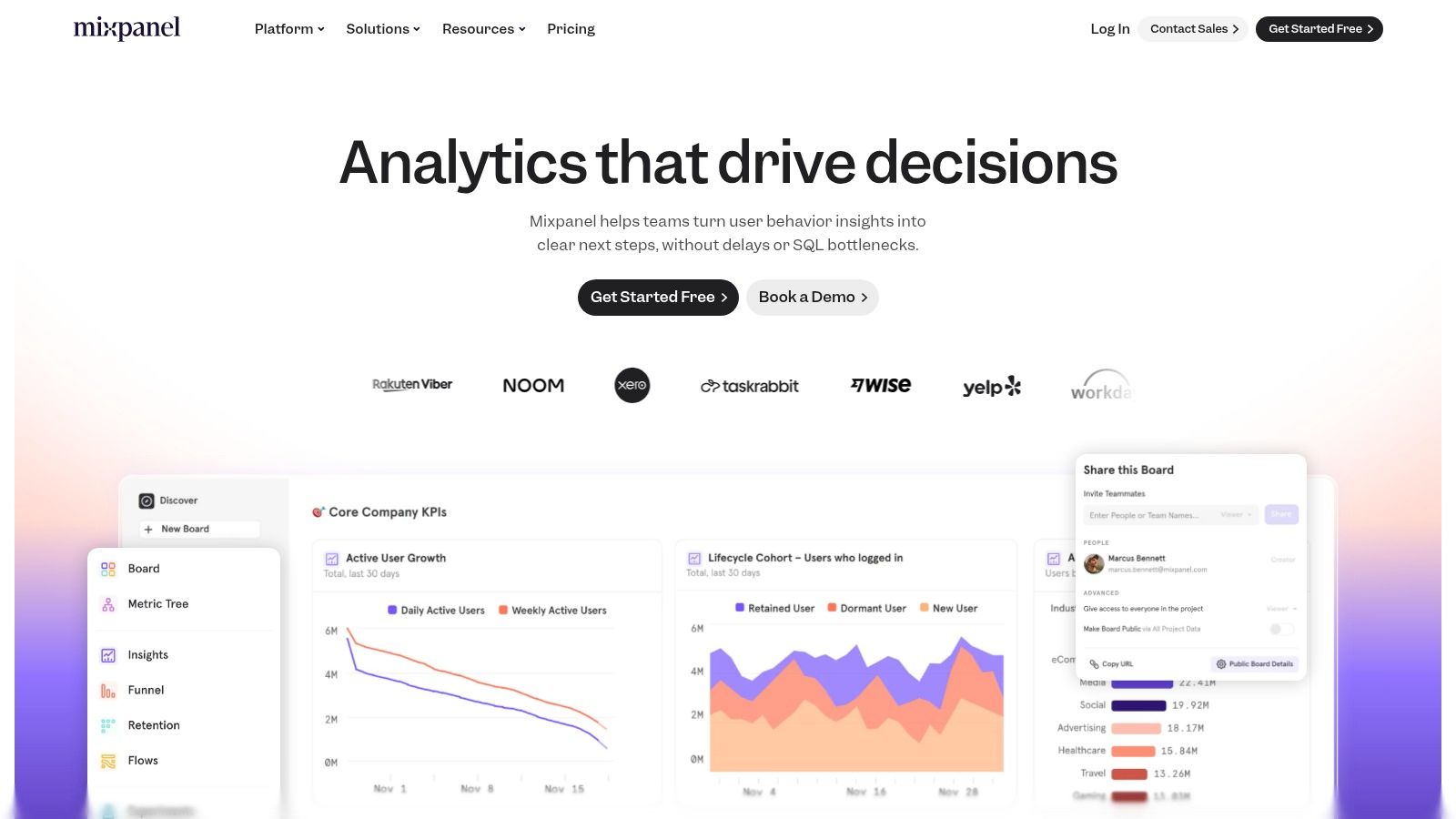
The platform excels at providing deep, actionable insights through its powerful segmentation and visualization tools. You can build detailed funnels, analyze user flows, and create cohorts to track behavior over time. A standout feature is its native Session Replay, which provides qualitative context to your quantitative data by letting you watch user sessions. Its AI-powered query builder, Spark, also helps non-technical users uncover insights without needing to write complex queries.
Key Details & Use Case
- Best For: Product teams in startups and enterprises who need to understand feature adoption, user engagement, and conversion drivers. It’s particularly powerful for SaaS and subscription-based mobile apps.
- Pricing: Offers a free plan for up to 20 million events per month. Paid plans (Growth and Enterprise) are based on event volume, with transparent pricing and a calculator on their site.
- Pros: Strong mobile SDKs, unlimited seats on all plans, and excellent CDP integrations. The self-serve model is great for startups.
- Cons: Event-based billing requires careful upfront planning and data governance to manage costs effectively. Advanced session replay retention may require add-on fees.
Implementation Tip: Before integrating Mixpanel, create a detailed tracking plan. This ensures you're collecting clean, meaningful data from day one, which is crucial for a successful launch. Understanding what events to track is a key part of the process, much like understanding how to launch a SaaS product correctly from the start.
Website: https://mixpanel.com
2. Amplitude
Amplitude is a comprehensive product analytics platform designed to help teams understand and optimize the entire user journey. It positions itself as an all-in-one solution by bundling core analytics with experimentation, feature flags, and session replay. This integrated approach makes it one of the best mobile app analytics tools for teams looking to connect quantitative data with A/B testing and feature management without juggling multiple platforms. Amplitude’s strength lies in its ability to create detailed behavioral cohorts and analyze user paths.
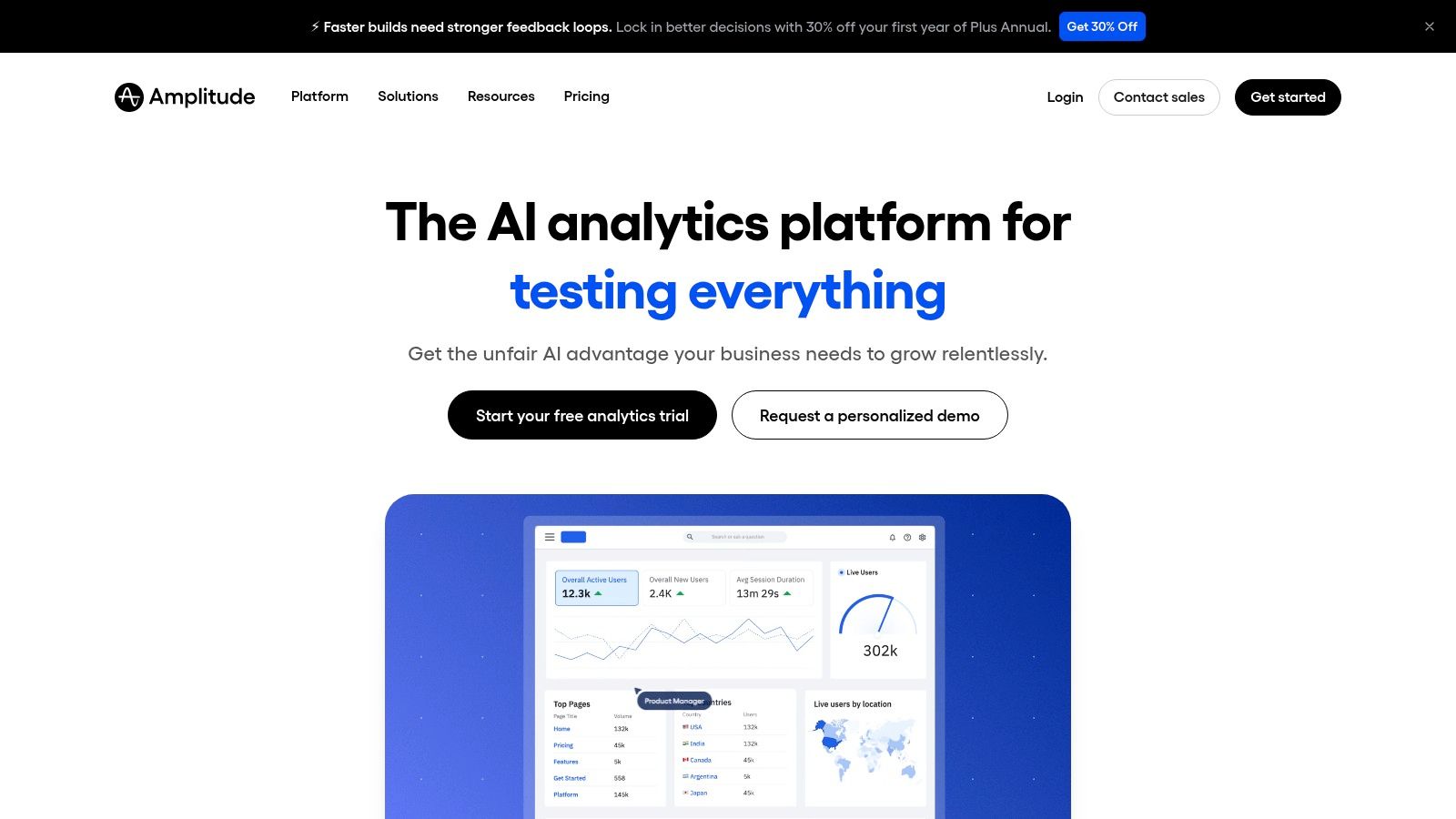
The platform is particularly known for its generous free Starter plan, which includes up to 10 million monthly events and access to key features like session replay and web experimentation. This makes it an accessible entry point for early-stage startups needing powerful analytics without an immediate budget commitment. As teams grow, Amplitude provides sophisticated tools for retention analysis, funnel optimization, and understanding the drivers behind user behavior, all supported by a wide range of integrations and warehouse-native options.
Key Details & Use Case
- Best For: Startups and product teams who want an integrated suite for analytics, experimentation, and feature flagging from a single vendor. Its free tier is ideal for early-stage apps.
- Pricing: A generous free Starter plan for up to 50,000 MTUs and 10 million events. Paid plans (Growth and Enterprise) are quote-based and scale with usage.
- Pros: Combines core analytics with A/B testing and feature flags in one platform. The free plan is one of the most powerful available for new apps.
- Cons: Higher-volume plans can become expensive, and pricing is not transparent for Growth or Enterprise tiers. Managing MTU and event limits requires careful planning.
Implementation Tip: Start by mapping your most critical user activation and retention funnels. Use Amplitude’s templates to quickly build dashboards that track these key flows. This focused approach ensures you get actionable insights early on, which is a core component of a strong SaaS product marketing strategy that relies on data-driven decisions.
Website: https://amplitude.com
3. Google Analytics for Firebase
As the default analytics solution for Google's mobile development platform, Google Analytics for Firebase is one of the best mobile app analytics tools for teams already invested in the Firebase ecosystem. It offers a free, event-based model that captures crucial user interactions and device properties automatically. Its core strength lies in its seamless integration with other Firebase services like Crashlytics, Remote Config, Cloud Messaging, and A/B Testing, creating a unified dashboard for app performance and user behavior.

The platform is built to provide a holistic view, connecting analytics data directly to actionable tools. For example, you can create audiences based on specific user behavior and then target them with push notifications via Cloud Messaging or tailored experiences using Remote Config. For more advanced analysis, the native integration with BigQuery allows you to export raw event data for complex SQL queries, giving you full control over your data without hitting reporting limitations within the standard interface.
Key Details & Use Case
- Best For: Startups and development teams of all sizes, especially those using other Firebase services for backend infrastructure, crash reporting, or A/B testing. It's a powerful, cost-effective starting point for any mobile app.
- Pricing: The analytics component is completely free with unlimited event reporting. Costs may apply for other Firebase or Google Cloud services if usage exceeds their free tiers (e.g., BigQuery).
- Pros: Truly free for its core analytics features, powerful ecosystem integrations, and scales well with Google Cloud infrastructure for advanced data warehousing.
- Cons: The out-of-the-box reporting UI is less flexible than specialized product analytics tools. Advanced attribution and funnel analysis may require exporting data to another platform.
Implementation Tip: Spend time defining custom events and user properties that are unique to your app's core value proposition. While Firebase tracks many events automatically, custom tracking is what will unlock deep insights into how users engage with your specific features.
Website: https://firebase.google.com
4. AppsFlyer
AppsFlyer is an industry-leading mobile attribution platform, making it one of the best mobile app analytics tools for marketers who need to measure the ROI of their ad spend. It specializes in tracking where your users come from, connecting installs and in-app events back to specific marketing campaigns across paid and owned media. This focus on attribution allows teams to understand which channels drive the most valuable users and optimize their acquisition strategies accordingly.
The platform provides a comprehensive suite of tools for the modern mobile marketer, including robust support for SKAdNetwork (SKAN), deep linking, and sophisticated anti-fraud protection. Its strength lies in its ability to deliver clear LTV and ROAS insights through detailed cohort analysis and journey mapping. With a vast ecosystem of over 10,000 integrated partners, AppsFlyer makes it simple to connect your marketing data stack and get a unified view of performance.
Key Details & Use Case
- Best For: Marketing teams and user acquisition managers in gaming, e-commerce, and fintech who are heavily invested in paid media and need accurate, granular attribution data.
- Pricing: Offers a "Zero" plan for free. Paid plans (Growth and Enterprise) are based on conversion volume, with a "Welcome Package" to help new apps get started.
- Pros: Considered the industry standard for mobile attribution. Its robust integrations, anti-fraud suite, and reporting depth are top-tier.
- Cons: Can become expensive as conversion volume scales, and accessing its most advanced enterprise features often requires custom sales negotiations.
Implementation Tip: Take full advantage of AppsFlyer's partner marketplace from the start. Correctly configuring postbacks to your ad networks and other tools is critical for automating data flows and enabling real-time campaign optimization.
Website: https://www.appsflyer.com
5. Adjust
Adjust operates as a full-stack mobile measurement partner (MMP), making it one of the best mobile app analytics tools for marketers focused on attribution and campaign performance. Its core function is to connect ad spend to user actions, providing a clear picture of marketing ROI from click to install and beyond. The platform offers a unified suite of tools for attribution, campaign analytics, fraud prevention, and A/B testing, designed to give mobile marketers a single source of truth.
The platform provides robust support for modern privacy frameworks, including Apple's SKAdNetwork (SKAN) and offers data residency options, which is a critical feature for global apps navigating complex regulations like GDPR. Adjust’s Datascape reporting tool allows marketers to visualize and analyze performance data from all their sources in one place, tracking unlimited post-install KPIs to measure long-term user value. This focus on connecting marketing efforts directly to in-app behavior makes it a powerful asset for performance-driven teams.
Key Details & Use Case
- Best For: Mobile marketing teams and user acquisition managers who need precise attribution and a holistic view of campaign performance across paid and organic channels.
- Pricing: Offers a free Base tier for basic attribution needs. Paid plans (Core and Enterprise) unlock advanced features like raw data exports, CTV/OTT tracking, and more extensive support.
- Pros: Generous free Base plan is excellent for getting started, transparent feature matrix helps in decision-making, and its mature SDKs and global support are reliable.
- Cons: Moving beyond the Base plan requires a significant investment in Core or Enterprise tiers. Complex setups for reattribution or connected TV (CTV) can require specialized expertise.
Implementation Tip: When setting up Adjust, work closely with your marketing team to define your attribution windows and post-install events from the start. This ensures you accurately measure the impact of different campaigns and channels on user LTV.
Website: https://www.adjust.com
6. Branch
Branch specializes in deep linking and mobile attribution, making it one of the best mobile app analytics tools for marketers focused on driving installs and re-engagement across channels. While not a traditional product analytics platform, it provides critical data on where your users are coming from and what marketing efforts are converting. It excels at creating seamless user journeys from web to app, email to app, or ad to app, ensuring users land exactly where they are supposed to.
The platform’s core strength lies in its reliable deep linking technology, which includes deferred deep linking to route new users to specific in-app content after they install. This is crucial for optimizing paid campaigns and owned media like email or social posts. Branch offers powerful web-to-app Journeys banners, QR codes, and integrations with hundreds of ad partners, providing a centralized hub for tracking campaign performance and attributing downstream user actions to the initial touchpoint.
Key Details & Use Case
- Best For: Marketing teams and app developers who need to measure campaign ROI, optimize user acquisition channels, and create seamless cross-platform user experiences.
- Pricing: Offers a free "Launch" plan for up to 10k monthly active users (MAUs). Paid packages like Startup ($199/mo) and Scale ($499/mo) are based on MAU volume, with custom pricing for enterprise needs.
- Pros: Industry-leading deep linking reliability, extensive ad partner integrations, and a free tier that is generous for early-stage apps.
- Cons: Primarily focused on attribution and linking, not in-depth product analytics. Costs can escalate quickly with user growth, and advanced features require higher-tier plans.
Implementation Tip: Use Branch's Journeys feature to create smart banners for your mobile website. This is a highly effective, low-effort way to convert mobile web visitors into native app users, and you can A/B test different banner creatives and calls-to-action directly within the platform.
Website: https://www.branch.io
7. CleverTap
CleverTap is an all-in-one mobile marketing and product analytics platform designed to help teams understand and engage users across their entire lifecycle. It moves beyond standard analytics by integrating powerful marketing automation tools directly into the platform. This combination allows you to not only analyze user behavior through funnels, cohorts, and segmentation but also to act on those insights immediately with targeted, multi-channel campaigns.
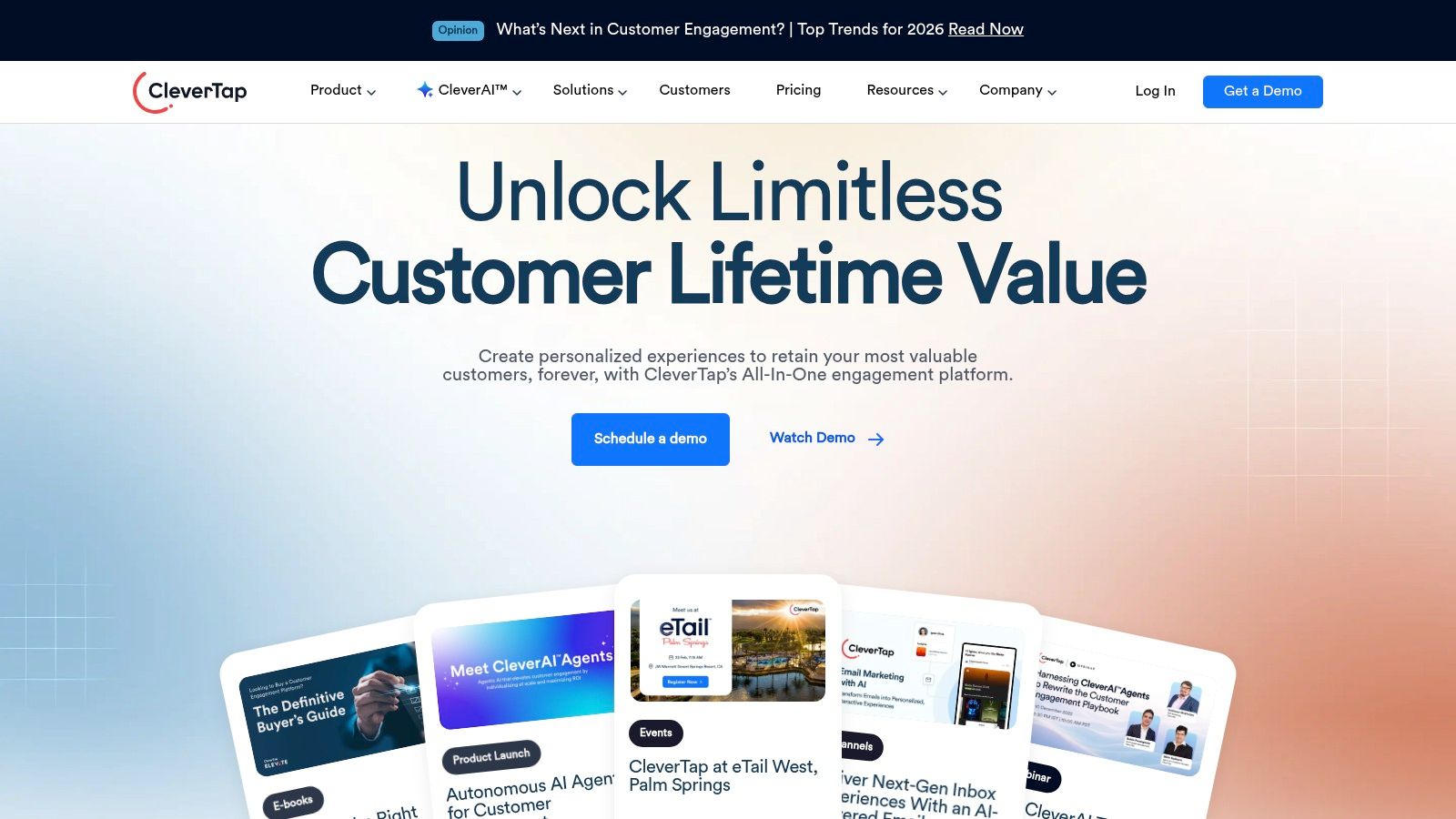
The platform’s strength lies in unifying analytics with engagement. You can create automated user journeys, run A/B tests on messaging, and personalize the user experience based on real-time behavioral data. Its focus on a mobile-first approach makes it one of the best mobile app analytics tools for consumer-facing apps that need to drive retention and lifetime value through proactive communication.
Key Details & Use Case
- Best For: Marketing and growth teams in B2C mobile apps (e.g., e-commerce, fintech, media) that need a single tool for both analytics and omni-channel user engagement.
- Pricing: Offers a startup-focused "Essentials" plan with pricing based on Monthly Active Users (MAUs). Enterprise plans are custom, and procurement is available via the AWS Marketplace.
- Pros: Combines deep analytics with strong lifecycle and engagement tools. The low-cost entry point for U.S. startups and availability on AWS Marketplace simplify adoption.
- Cons: Pricing can rise significantly as your MAUs and feature needs scale. The extensive engagement feature set may have a steeper learning curve compared to pure analytics tools.
Implementation Tip: Map out your key user lifecycle stages before implementation. This will help you leverage CleverTap’s journey builder effectively and configure triggers for your most critical engagement campaigns, a core concept when selecting the best marketing automation software for your needs.
Website: https://www.clevertap.com
8. Heap
Heap distinguishes itself with its powerful autocapture technology, making it one of the best mobile app analytics tools for teams that need immediate, retroactive insights. Instead of manually instrumenting every user event, Heap automatically captures all user interactions like taps, swipes, and form submissions. This allows you to define events and analyze user behavior in the past, even for actions you didn't think to track initially, eliminating the need to wait for developer resources to add new tracking code.
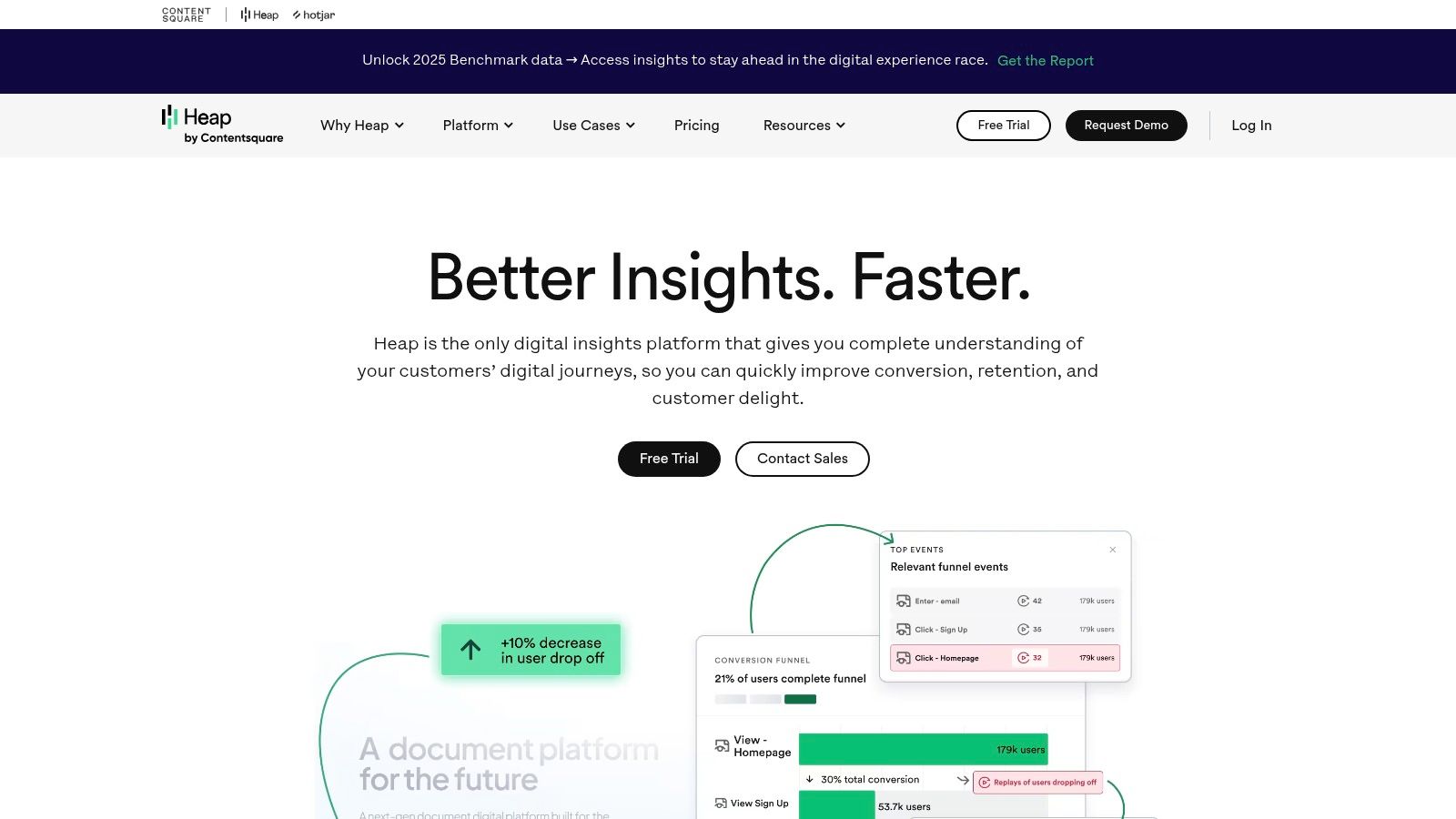
The platform is designed for fast time-to-value, empowering non-technical users to build funnels, segments, and cohorts on the fly. Its visual labeling interface lets product managers and marketers define events directly within the app's UI without writing code. With features like engagement matrices and journey analysis, teams can quickly uncover friction points and identify opportunities for growth. For deeper qualitative understanding, Session Replay is available as an add-on, linking quantitative data to real user experiences.
Key Details & Use Case
- Best For: Agile product and marketing teams in startups and mid-market companies who need to move quickly and answer business questions without being blocked by engineering cycles. Its retroactive analysis is a major advantage.
- Pricing: Offers a free plan for up to 10,000 monthly sessions. Paid plans (Growth, Pro, Premier) are usage-based and require contacting sales for a custom quote.
- Pros: Autocapture provides a complete dataset from day one. It's incredibly fast to get started and empowers non-technical teams to conduct their own analysis. Strong data warehouse integrations are available.
- Cons: The "capture everything" approach can lead to noisy data if not properly managed with governance features. Exact pricing for paid tiers is not transparent, and session replay costs extra.
Implementation Tip: While autocapture is powerful, establish a clear data governance strategy early on. Create a system for naming and organizing "virtual" events defined in the Heap UI to ensure your analysis remains clean, accurate, and easy for the entire team to understand as your app evolves.
Website: https://www.heap.io
9. UXCam
UXCam specializes in bridging the gap between quantitative data and qualitative user experience, making it one of the best mobile app analytics tools for understanding the "why" behind user actions. Instead of just showing you where users drop off, UXCam lets you see what they were actually doing through session recordings and mobile-specific heatmaps. This focus on qualitative insights helps teams identify UI/UX frustrations, bugs, and usability issues that traditional analytics might miss.

The platform is purpose-built for native iOS and Android apps, offering lightweight SDKs for major frameworks. Its core strength lies in visualizing the complete user journey, combining session replays with event-based funnels and crash analytics. This allows product managers and developers to instantly replay sessions where a user encountered an issue or abandoned a key workflow, dramatically speeding up debugging and optimization cycles. The platform also offers issue analytics to automatically categorize and prioritize UI freezes and crashes.
Key Details & Use Case
- Best For: Mobile-first product teams, UX researchers, and developers who need to diagnose user friction, validate design changes, and debug issues in native mobile apps.
- Pricing: A generous free plan is available with a 14-day trial of premium features. Paid plans (Growth, Enterprise) are based on session volume and data retention needs.
- Pros: Purpose-built qualitative tooling for mobile UX, unlimited seats and chat support on the free plan, and clear, easy-to-install SDKs.
- Cons: The free tier has limits on video/data retention and access to advanced features like heatmaps and granular filtering requires a paid plan.
Implementation Tip: Start by identifying one critical user flow in your app, such as onboarding or checkout. Filter UXCam sessions specifically for users who drop off at a certain step in that funnel. Watching these recordings will provide immediate, actionable insights into points of friction.
Website: https://uxcam.com
10. Countly
Countly stands out in the mobile analytics space by offering a flexible, privacy-first platform that can be self-hosted or managed in a private cloud. This makes it one of the best mobile app analytics tools for organizations in regulated industries like healthcare and finance, or for any team that requires complete control over its data. The platform provides a comprehensive suite of features, from user profiles and session tracking to funnels and crash analytics, all within a secure environment.
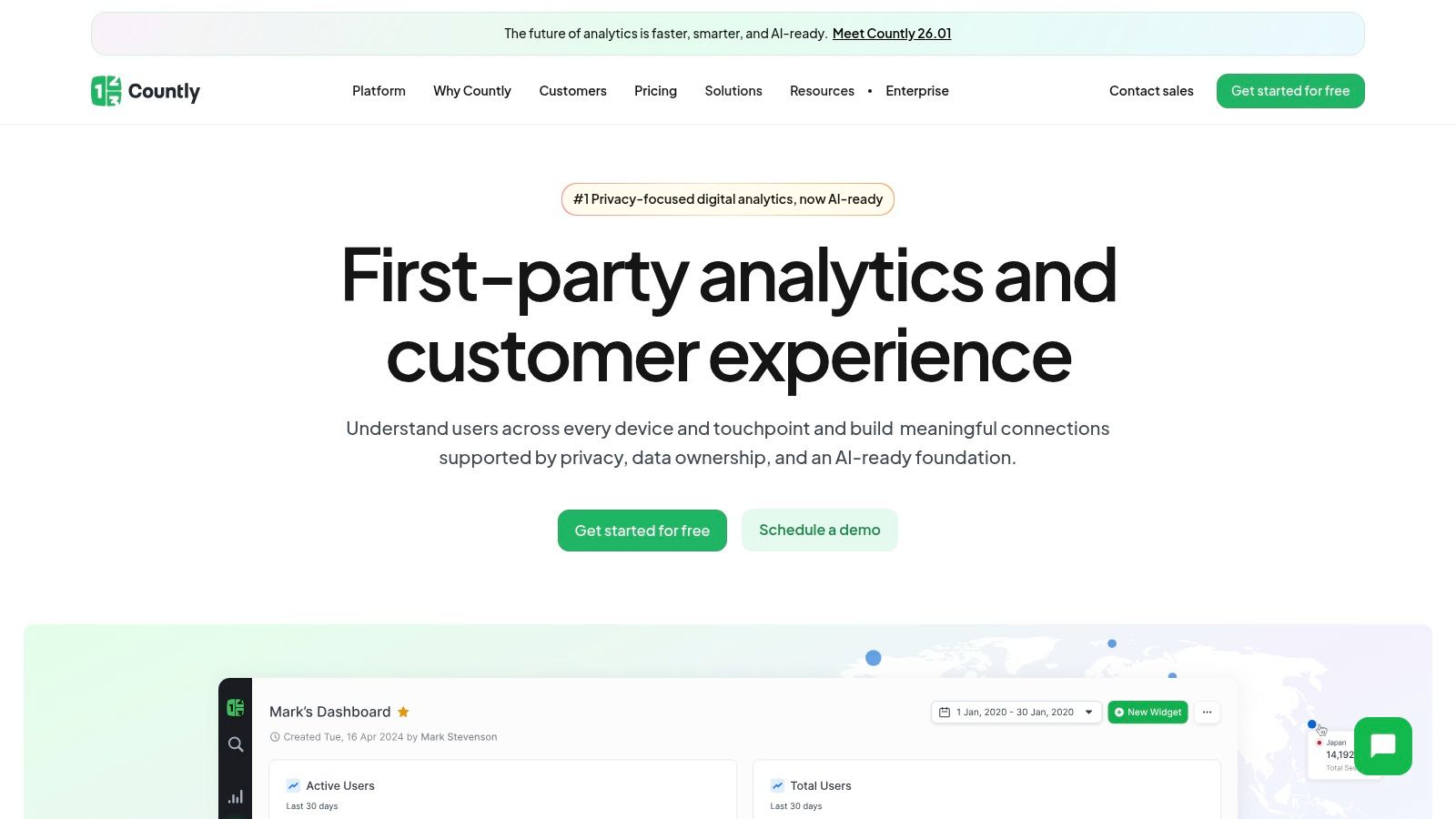
Its core differentiator is the open-source Community Edition, which allows developers to deploy a powerful analytics server on their own infrastructure for free. For teams needing more advanced capabilities and dedicated support, the commercial Flex (private cloud) and Enterprise (self-hosted) editions offer a modular approach. This allows you to add specific features like push notifications, A/B testing, or advanced performance monitoring as plugins, paying only for what you need.
Key Details & Use Case
- Best For: Companies with strict data privacy and security requirements, such as those in the healthcare or financial sectors. Also ideal for developers who prefer an open-source, self-hosted solution.
- Pricing: A free, self-hosted Community Edition is available. The commercial Flex and Enterprise plans are priced based on Monthly Active Users (MAUs) and the specific feature plugins selected.
- Pros: Complete data ownership and control. A generous free open-source tier provides core analytics. The modular plugin system offers excellent flexibility for scaling features.
- Cons: The self-hosted version requires significant technical setup and ongoing maintenance overhead. Advanced features are only available in the paid commercial editions.
Implementation Tip: Start with the free Community Edition on your own server to evaluate the core functionality and ensure your team is comfortable with the operational demands of self-hosting before committing to a commercial plan.
Website: https://countly.com
11. G2
While not a direct analytics tool itself, G2 is an indispensable resource for researching, comparing, and selecting the best mobile app analytics tools. It functions as a peer-review marketplace where verified users share their experiences, allowing you to move beyond marketing claims and see how platforms perform in real-world scenarios. The platform provides a comprehensive overview of the mobile analytics landscape, from established leaders to emerging challengers.
G2’s strength lies in its user-generated data, presented through its proprietary Grid reports, which plot tools based on market presence and user satisfaction. You can filter solutions by specific features, company size, or industry to create a relevant shortlist. This side-by-side comparison framework, supported by thousands of in-depth reviews, is crucial for validating vendor claims and understanding potential drawbacks before committing to a demo or trial.
Key Details & Use Case
- Best For: Founders, product managers, and marketing teams in the discovery and evaluation phase of choosing a mobile analytics tool. It’s ideal for creating shortlists and conducting initial due diligence.
- Pricing: Free to browse reviews and compare products. Vendors pay for premium profiles and marketing features, but core comparison data is accessible to all.
- Pros: Extensive library of verified user reviews, powerful filtering options, and the well-regarded G2 Grid for quickly assessing market leaders.
- Cons: Sponsored placements can influence visibility, and review quality can vary. It’s important to look for detailed, recent reviews and not rely solely on star ratings.
Implementation Tip: Use G2 to build a comparison matrix of your top 3-5 contenders. Go beyond the overall score and read the full text of reviews, paying close attention to comments about implementation difficulty, customer support quality, and integration capabilities, as these are often the most telling details.
Website: https://www.g2.com/categories/mobile-analytics
12. Capterra
While not an analytics tool itself, Capterra is an indispensable resource for discovering and comparing the best mobile app analytics tools on the market. It serves as a comprehensive software marketplace, featuring a dedicated Mobile Analytics category where you can filter dozens of solutions by features, pricing models, and available free trials. This makes it an excellent starting point for teams looking to create a shortlist of potential vendors based on specific requirements.
The platform provides a high-level overview of each tool, including aggregated user ratings, pricing snapshots, and key feature summaries. Its curated buyer guides and "Best Of" lists offer valuable context, helping you understand the vendor landscape before diving into individual product websites. By consolidating this information, Capterra streamlines the initial research phase, saving you significant time and effort.
Key Details & Use Case
- Best For: Founders and product managers in the initial research phase who need to quickly scan the market, compare high-level features, and create a vendor shortlist.
- Pricing: Free to use for buyers. Vendors pay for listings and lead generation.
- Pros: Free and straightforward for quick market scanning, helpful for confirming pricing tiers across vendors, and a good complement to other review sites for triangulating options.
- Cons: Sponsored listings can influence the order of results, and product details may sometimes lag behind the official vendor websites.
Implementation Tip: Use Capterra to build your initial list of 3-5 potential tools. Once you have your shortlist, always visit the official product websites to verify the most current features, pricing, and integration details, as information on third-party directories can become outdated.
Website: https://www.capterra.com/mobile-analytics-software
Top 12 Mobile App Analytics Tools — Side-by-Side Comparison
| Product | ✨ Core features | ★ Quality | 💰 Price / Value | 👥 Target audience | 🏆 USP |
|---|---|---|---|---|---|
| Mixpanel | Event analytics, funnels, cohorts, Session Replay & heatmaps, AI query (Spark) | ★★★★☆ | 💰 Transparent Growth pricing; event‑based billing | 👥 Startups → Enterprise product teams | 🏆 AI-assisted queries + strong mobile SDKs |
| Amplitude | Product analytics, cohorts, experiments, Session Replay, feature flags | ★★★★☆ | 💰 Generous Free Starter (50K MTUs); enterprise sales pricing | 👥 Early-stage apps → growth teams | 🏆 Analytics + flags + experimentation in one |
| Google Analytics for Firebase | Free app analytics, Crashlytics, Remote Config, A/B testing, BigQuery export | ★★★★ | 💰 Free core; scales with Google Cloud usage | 👥 Mobile devs using Firebase/GCP | 🏆 Deep Firebase & Google Cloud integration |
| AppsFlyer | Cross-channel attribution, SKAN support, anti-fraud, LTV/cohort analytics | ★★★★☆ | 💰 Per-conversion pricing; costs scale with volume | 👥 UA teams in gaming, e‑commerce, fintech | 🏆 Industry-leading mobile attribution & fraud protection |
| Adjust | MMP attribution, Datascape reporting, SKAN solutions, data residency | ★★★★ | 💰 Free Base tier; paid Core/Enterprise for scale | 👥 Privacy-sensitive mobile marketers | 🏆 Strong privacy/compliance & global support |
| Branch | Deep linking, deferred links, QR codes, attribution, Journeys banners | ★★★★ | 💰 Published packages ~$199–$499+/mo; volume overages | 👥 Growth & mobile marketing teams | 🏆 Reliable cross-platform deep linking + web→app journeys |
| CleverTap | Behavioral analytics, journeys, omni-channel campaigns, experiments | ★★★★ | 💰 Startup Essentials by MAU; pricing rises with scale | 👥 Mobile-first engagement & lifecycle teams | 🏆 Integrated engagement + analytics stack |
| Heap | Auto-capture analytics, retroactive analysis, cohorts, DW integrations | ★★★★ | 💰 Free→Enterprise; higher tiers via sales | 👥 Small teams needing quick instrumentation | 🏆 Auto-capture for fast time-to-value & retroactive queries |
| UXCam | Session recordings, mobile heatmaps, funnels, issue analytics | ★★★★ | 💰 Free plan + 14-day trial; paid for advanced features | 👥 Mobile UX designers & mobile QA teams | 🏆 Purpose-built mobile qualitative tooling |
| Countly | Open-source/self-hosted analytics, privacy-first, modular add-ons | ★★★★ | 💰 Free open-source; modular paid plans by MAU/features | 👥 Teams needing data control & self-hosting | 🏆 Self-hosting + strong data residency options |
| G2 | Peer reviews, category pages, filters, “Best Of” reports | ★★★★ | 💰 Free to use for research | 👥 Buyers researching & shortlisting vendors | 🏆 High-volume verified reviews & market signals |
| Capterra | Marketplace, buyer guides, pricing snapshots, filterable catalog | ★★★★ | 💰 Free directory for buyers | 👥 Buyers comparing pricing, trials & vendors | 🏆 Simple, quick market scanning with buyer guides |
From Data to Decisions: Making Your Analytics Actionable
Navigating the landscape of the best mobile app analytics tools can feel overwhelming. We've explored a wide spectrum, from the deep product insights of Mixpanel and Amplitude to the comprehensive attribution tracking offered by AppsFlyer and Adjust. We've seen how tools like UXCam provide qualitative, visual feedback, while giants like Google Analytics for Firebase offer a robust, free entry point for early-stage apps.
The central theme is clear: there is no single "best" tool for everyone. The right choice is deeply intertwined with your app's specific stage, goals, and technical resources. An indie developer building a utility app will have vastly different needs than an enterprise SaaS company managing a complex user journey or a gaming studio focused on in-app purchase optimization.
Key Takeaways for Selecting Your Analytics Stack
Your decision-making process should be a strategic one. Before committing to a platform, revisit your core objectives.
- For Product-Led Growth: If your primary goal is to understand user behavior, feature adoption, and retention, focus on event-based platforms like Mixpanel, Amplitude, or Heap. These tools excel at cohort analysis and funnel optimization, giving your product team the granular data needed to build a better app.
- For Marketing and Acquisition: When user acquisition and marketing ROI are paramount, attribution platforms like AppsFlyer, Adjust, and Branch are indispensable. They connect your ad spend to actual user actions, providing a clear picture of which channels are driving valuable conversions.
- For Holistic User Experience: To move beyond numbers and understand the "why" behind user actions, qualitative tools like UXCam are invaluable. Session replays and heatmaps can reveal friction points that quantitative data alone might miss.
- For Startups and Budget-Conscious Teams: Don't overlook the power of Google Analytics for Firebase or the open-source flexibility of Countly. These platforms provide a solid foundation without the significant financial commitment of premium enterprise solutions.
Turning Insights into Impact
Choosing from the best mobile app analytics tools is just the first step. The real value emerges when you transform raw data into a product strategy. Start by defining your key metrics-whether it's daily active users, feature adoption, or conversion rates-and use your chosen tool to build dashboards that track them relentlessly.
Regularly review funnels and session replays to identify friction points, and leverage cohort analysis to understand long-term user retention. By integrating these insights into your development sprints and marketing campaigns, you create a powerful feedback loop that drives continuous improvement. Ultimately, the goal of gathering actionable data is to inform key business decisions. By analyzing user behavior and engagement, you can refine your strategies to monetize mobile apps effectively and ensure long-term sustainability.
Your analytics tool is not just a reporting dashboard; it's a strategic asset. Use it to validate hypotheses, prioritize your product roadmap, and build an app that users genuinely love and find value in. The data holds the answers, and with the right tool, you have the key to unlock sustainable growth.
Ready to get your newly optimized app in front of the right audience? After implementing your analytics and refining your features, showcase your product to early adopters and tech enthusiasts on platforms like SubmitMySaas. It’s the perfect next step to gather initial feedback, build momentum, and kickstart your growth journey.