How to Search Groups on Facebook to Find Your Ideal Audience
Discover how to search groups on Facebook with actionable tips for desktop and mobile. Find hidden communities and connect with your target audience.

Finding the right Facebook groups is more than just a social exercise—it's a fundamental growth tactic for smart SaaS founders and marketers. These online communities are vibrant hubs where your ideal customers gather, actively discussing the very problems your product solves.
Why Facebook Groups Are Your Untapped Growth Channel
Think about it. Where else can you find a pre-qualified audience, all in one place, talking about their needs? For a founder of an AI productivity tool, stumbling upon groups like "Startup Project Managers" or "Remote Work Productivity Hacks" is like striking gold. These aren't just forums; they're living, breathing focus groups.
Here, you can see unfiltered conversations, pinpoint real pain points, and learn the exact language your target audience uses. This kind of direct insight is invaluable and can shape everything from your product roadmap to your marketing copy.
Tapping Into a Massive, Engaged Audience
The sheer scale here is hard to ignore. Facebook Groups have a staggering 1.8 billion monthly active users. That makes them one of the most engaged corners of the entire platform.
This huge user base is precisely why learning to navigate and search these groups effectively is a game-changer, especially for founders and indie makers trying to build momentum without a hefty ad spend.
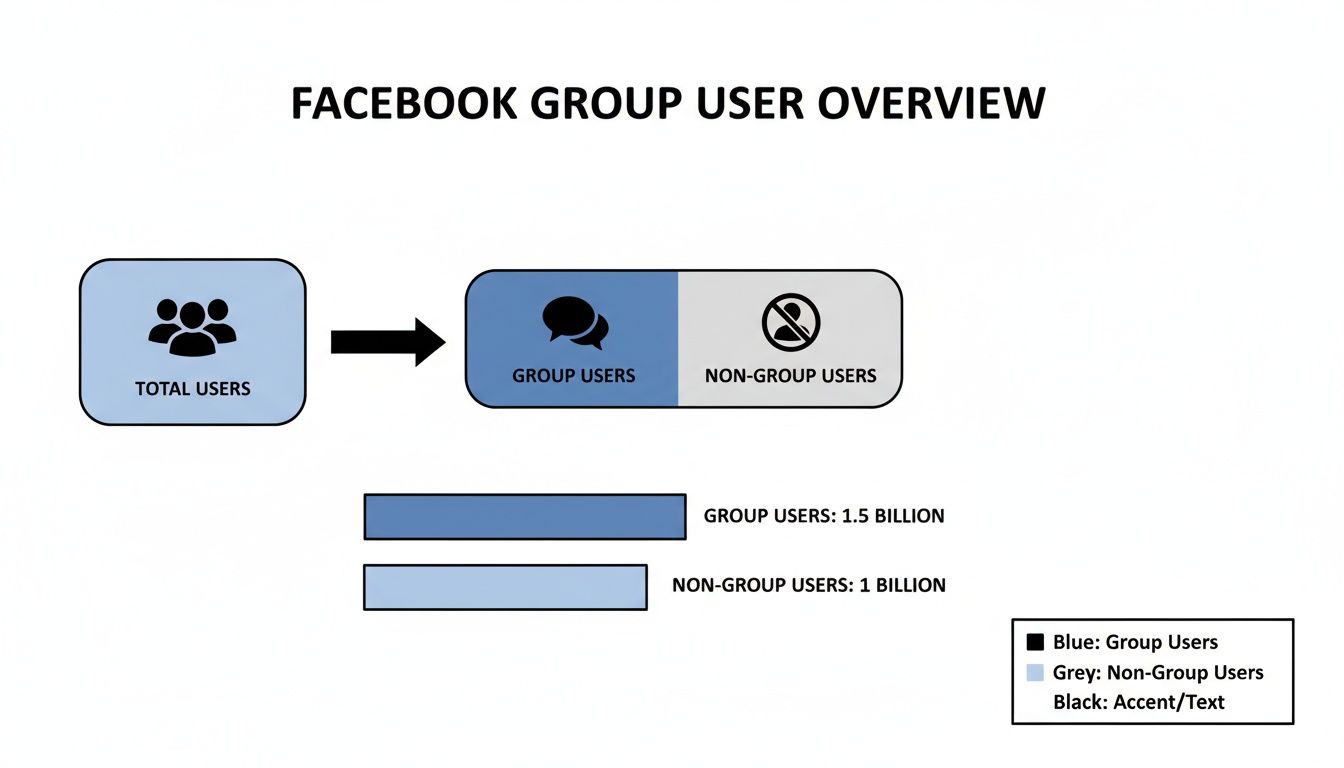
As you can see, a massive chunk of Facebook's user base is already active in these communities, making them a potent channel for connection and growth.
For a SaaS founder, a well-chosen Facebook group is like a perpetual focus group. It’s where your future power users are gathered, waiting for a solution like yours to appear.
By participating authentically and strategically, you can generate highly targeted leads and build your reputation as an expert in your niche. This organic approach is a powerful way to get things moving, especially if you're exploring ways to drive traffic without ads. For those thinking bigger, you can even monetize your Facebook group once you've built a strong community.
How Group Size Impacts Your SaaS Marketing Strategy
Not all groups are created equal. The size of a group often dictates the type of engagement you'll find and how you should approach it. I've found it helpful to think about group size in tiers, each with its own strategic value.
| Group Size (Members) | Typical Engagement Level | Strategic Value for Founders |
|---|---|---|
| Under 1,000 | High & Niche. Conversations are often deep and personal. Members know each other. | Perfect for deep customer discovery, building relationships, and testing niche ideas. High visibility for your posts. |
| 1,000 - 10,000 | Active & Focused. A good mix of broad discussion and specific questions. Strong sense of community. | Great for establishing expertise. You can answer questions, share insights, and get direct feedback from a relevant audience. |
| 10,000 - 50,000 | Moderate & Broad. Can be noisy, but still valuable. Requires more effort to stand out. | Good for market research on a larger scale and identifying common trends. More lurkers, but also more potential reach. |
| 50,000+ | Low to Moderate. Often promotion-heavy. Hard to get noticed without being a top contributor. | Best used for passive listening and identifying viral topics. Less effective for direct engagement unless you're a moderator. |
Ultimately, a mix of small, highly-engaged groups and larger, broader communities is often the best strategy. The smaller groups are where you build deep connections, while the larger ones help you keep a pulse on the industry as a whole. Your approach will be different for each. Once you understand this, you can learn https://submitmysaas.com/blog/how-to-increase-website-traffic-organically by using these groups as a launchpad.
How to Search for Facebook Groups on Desktop and Mobile
Before you can tap into the power of Facebook Groups, you first need to get the lay of the land. Knowing how to find relevant communities is your foundational skill, whether you're sitting at your desk mapping out a marketing plan or scrolling on your phone between meetings. The process is pretty intuitive, but the interface differs slightly between desktop and mobile.
Let's walk through exactly how to do it on both.

Finding Groups on Your Desktop
I always recommend starting your deep-dive research on a desktop. The larger screen and more robust filtering options just make life easier.
Your starting point is the universal search bar, which you’ll find at the top left of your Facebook homepage. Just pop your keyword in there—something like "SaaS founders" or "AI for small business"—and press Enter.
You'll land on a general results page that’s a mix of everything: posts, people, pages, you name it. To cut through the noise, look at the vertical menu on the left side under "Search results." Find and click on Groups. Just like that, you've filtered out everything else and are looking at a clean list of communities.
Searching for Groups on the Mobile App
For quick, on-the-go searches, the mobile app gets the job done. The core concept is the same, but the layout is a bit different.
- First, tap the magnifying glass icon at the top right of the app.
- Type your keyword into the search bar.
- Right below that bar, a horizontal menu pops up with filters like "Top," "Posts," and "People." Swipe left on this menu until you see Groups and give it a tap.
This isolates the group results, making it easy to scout potential communities while you're away from your computer. You can always bookmark them to investigate more thoroughly later.
Understanding the Search Results
Once you have your list of groups, it's time to interpret what you're seeing. Facebook’s algorithm tries to be helpful by personalizing your results, often bumping up groups that your friends have joined. While this social proof can be a good signal, don't let it be the only thing you base your decision on.
As you scan the list, keep an eye on two crucial details for each group:
- Public vs. Private: This little tag is incredibly important. Anyone on or off Facebook can see the posts in a Public group, which is great for doing a little recon without committing. Private groups hide their content until you're a member, but this is often where the most valuable, focused conversations happen.
- Member Count & Activity: A big member count isn't everything. A group with 5,000 members and 20+ posts a day is a thriving hub of activity. In contrast, one with 50,000 members and only a handful of posts per week might be a ghost town. Look for a healthy ratio of members to daily engagement.
This simple process of searching and filtering is the key to unlocking a world of potential customers and partners. Get comfortable with it, and you’ll be well on your way to finding the right communities.
Advanced Search Techniques to Uncover Hidden Communities
If you want to find the real gems on Facebook—those highly engaged, niche communities your competitors have no idea exist—you have to move beyond basic keyword searches. It’s all about a simple shift in mindset: think like your customer, not just a marketer.
The standard approach is searching for "social media tools." But the power move? Search for the problems your audience is trying to solve.
This subtle change is everything. Instead of just looking for your solution category, you're hunting for conversations already happening around specific pain points. For a SaaS founder, this is gold. You can pinpoint high-intent discussions and introduce your product as the natural answer they've been looking for.

Using Search Operators for Precision
Facebook's search bar is smarter than it looks. One of the most effective, yet surprisingly underused, tactics is to use search operators to sharpen your results.
The easiest and most impactful operator is quotation marks. When you wrap your search term in quotes, you're telling Facebook to find that exact phrase. This is an absolute game-changer for cutting through the noise.
- A standard search for
SaaS content creatorsmight pull up groups about SaaS in general or separate groups for content creators. The results can be a mixed bag. - A precise search for
"SaaS for content creators"will only show you groups containing that specific multi-word phrase.
This one simple tweak helps you zero in on niche communities with far greater accuracy. It's the difference between landing in a generic marketing forum and a dedicated hub for marketers who live and breathe SaaS products.
Searching for problems instead of solutions unlocks a whole new level of customer insight. Think about it: people rarely search for "CRM software," but they ask, "how do I manage customer contacts better?" all the time.
Creative Keyword Strategies
Your next step is to get creative with your keywords. Don't just stick to the obvious terms you use on your website. Take some time to brainstorm the adjacent topics, the tools they already use, and the frustrations your ideal customer profile (ICP) deals with every single day.
Let's say you've built a new project management tool. Instead of just searching for "project management," you could try:
- Competitor alternatives:
"Trello alternative"or"Asana users group" - Pain-point phrases:
"missed project deadlines"or"how to improve team workflow" - Role-based communities:
"digital project managers"or"startup operations"
By combining these creative keywords with quotation marks for precision, you can build a highly targeted list of promising groups. This method ensures you find communities where members are actively looking for the kind of value you offer. Of course, getting your message out effectively is its own challenge, which is where having the right software comes in. A good social media management tools comparison can help you find a platform to streamline your outreach.
Actionable Search Queries for SaaS Founders
To help you hit the ground running, here are a few plug-and-play search query ideas you can adapt for your own SaaS product.
| Your SaaS Category | Example Search Query | Why It Works |
|---|---|---|
| SEO Tools | "how to improve SEO rankings" |
Targets users actively seeking to solve the core problem your tool addresses. |
| AI Writing Assistants | "overcoming writer's block" |
Finds content creators discussing a key pain point your product solves. |
| Productivity Apps | "best apps for remote work" |
Catches discussions where users are looking for recommendations. |
| Email Marketing | "Mailchimp alternatives" |
Directly targets users who are dissatisfied with a major competitor. |
Experiment with these formats. Swap out the specifics for your own industry and watch as you uncover dozens of hidden communities filled with potential customers. This strategic approach to how you search groups on Facebook can completely transform your lead generation efforts.
How to Evaluate and Join the Right Groups
Okay, so you've found a list of potential groups. That's the easy part. The real work is figuring out which ones are actually worth your time.
Honestly, joining a dead or spam-filled group is worse than not joining one at all. It just clutters your feed and wastes your energy. Your mission is to find a lively, engaged community where you can actually build relationships. Before you even think about hitting that "Join Group" button, put on your detective hat for a few minutes.
A group with 5,000 members that gets 20 posts a day is a goldmine compared to a ghost town with 50,000 members and only a couple of posts. It’s all about the activity.
Assessing a Group’s Health
A good group just feels alive. You can get a sense of its pulse by looking for a few tell-tale signs, even with private groups where you can only see the basic info.
- Post Frequency: The first thing I check is the "posts per day" stat right under the group name. A high member count with low post frequency is a major red flag.
- Engagement Quality: If the group is public, scroll through the recent posts. Are people having actual conversations in the comments? Or is it just a graveyard of "Great post!" and self-promotional links? Look for genuine back-and-forth.
- Admin and Moderator Presence: Are the admins and mods actively involved? Do you see them commenting, posting reminders about the rules, or welcoming new members? An active leadership team is your best defense against the spammers who ruin everything.
When you're trying to figure this out, knowing how to measure social media engagement is a game-changer. It helps you move beyond a gut feeling and make a smart decision based on real signals.
Crafting a Join Request That Gets Approved
For private groups, that little join request box is your one shot to make a good first impression. I've seen it from the admin side—generic, lazy requests get denied instantly. Admins are protective of their communities for a reason.
Whatever you do, don't leave the membership questions blank. That's an automatic "no" from most admins. Use this space to prove you're a real person who wants to contribute, not just a marketer looking to drop a link and run.
Your join request should answer the admin's unspoken question: "Why should I let you in?" Show them you've read the rules, understand the group's purpose, and are ready to be a part of the conversation.
Keep your answers concise, but be specific. Instead of a vague answer like "to network," try something with more substance. For example: "I'm the founder of a new productivity app and I'm hoping to learn from other bootstrapped entrepreneurs about the real-world workflow challenges they face." See the difference? It shows you're there to learn and contribute, not just take.
Finding the right communities is more than worth the effort. It's a proven powerhouse for generating leads. Content shared in groups pulls in an impressive 3.2% click-through rate (CTR)—the highest of any post type, easily beating out sponsored ads. For marketers, this just reinforces the value of finding groups where your product is a genuine solution to a problem people are already talking about. You can dig into more of these powerful Facebook trends to see just how big the opportunity is.
Troubleshooting Common Facebook Search Problems
Let's be honest: Facebook’s interface can be a moving target. What worked for finding groups last week might suddenly be gone today. If you're trying to run a search and hitting a wall, you're definitely not alone. It's frustrating when the platform doesn't cooperate, but there are always workarounds for these little hiccups.
One of the most common things I see is the "Groups" filter just disappearing from the main search results. You type in your keyword, hit enter, and the option to narrow it down to just groups has vanished. This is usually just a temporary glitch or Facebook running a user interface test. No need to panic; there's a much more direct way to get there.

Instead of relying on the main search bar, just go straight to the source. Look for the dedicated Groups tab in the left-hand sidebar on your desktop. Click on it. Once you're on that page, you’ll see a search bar specifically labeled "Search groups." This function is only for groups, making it a far more reliable tool for your search.
Tackling Irrelevant Search Results
Another classic headache is getting a flood of results that have nothing to do with what you're looking for, even with a specific keyword. This usually happens because Facebook’s algorithm is trying to be "helpful" by showing you groups your friends are in or ones that are local to you, which might be the exact opposite of what you need professionally.
To get better results, you'll need to get a little stricter with your search query.
- Get More Specific: A broad term like "marketing" is going to give you a bit of everything. Instead, try a much more descriptive phrase like
"B2B SaaS marketing strategies"to really hone in on relevant communities. - Use Location to Your Advantage: If you’re getting too many local bake sale groups for a global topic, try using the "City" filter. Select a major international hub like London or New York to reset the algorithm's geographic bias and see a different set of results.
My best advice is to treat Facebook's search as a starting point, not the final word. If the algorithm isn't playing ball, don't give up. Refine your keywords, use the filters creatively, and be ready to pivot your approach.
When a Promising Group Is a Ghost Town
We've all been there. You find what looks like the perfect group—catchy name, thousands of members—but when you click in, you realize it's completely dead. The last real post was six months ago, and now it’s just a wasteland of spam. This happens all the time as communities naturally lose steam.
While you can't magically revive a dead group, you can use it as a clue. Sift through the member list to see if you can spot any active industry leaders or influencers. From their profiles, check what other mutual groups they belong to. More often than not, this will lead you directly to the new, more active community where all the real conversation has migrated. It's like following a trail of digital breadcrumbs to find where the action is happening now.
Common Questions About Finding Facebook Groups
Even once you get the hang of it, you’ll probably have a few questions pop up as you dig deeper into Facebook's group search features. Let's walk through some of the most common ones I hear from other SaaS founders and marketers.
Can I Search for Posts Inside a Specific Facebook Group?
Absolutely, and you definitely should. This is where the real magic happens for market research. Once you’re a member of a group, you'll see a search bar specifically for that community—on a desktop, it’s usually on the right-hand side. It's a goldmine of customer intelligence.
Imagine you're building a new project management tool. You could jump into a relevant group and search for phrases like "Trello alternative" or "team collaboration issues." This lets you eavesdrop on real conversations, pinpoint the exact frustrations people have, and learn the language they use to talk about their problems. That kind of direct insight is priceless.
How Does Facebook Decide Which Groups to Show Me First?
Facebook's search results are anything but random; they're hyper-personalized. The algorithm is always trying to guess what you want to see based on a few key signals:
- Your Network: Groups your friends have joined tend to get higher placement.
- Your History: What you've searched for and joined in the past heavily influences what you see next.
- Keywords: Groups that use your search term in their name or description will naturally rank higher.
- Location: The algorithm often prioritizes local groups unless you tell it otherwise with your search terms or filters.
This is why your search results will look completely different from a colleague's. To cut through the personalization and find what you’re actually looking for, get specific. Use precise, long-tail keywords in quotes and make liberal use of the filters. This helps you surface communities that align with your business goals, not just what Facebook thinks you'll click on.
What’s the Real Difference Between Public and Private Groups?
Getting this right is crucial for your strategy. For Public groups, anyone on or off Facebook can see the member list and all the posts. They're fantastic for broad-stroke research and getting a feel for a community before you commit. You can learn a ton just by lurking.
Private groups, on the other hand, are closed communities. An admin has to approve your request to join, and all the content is completely hidden from outsiders. Because of that gatekeeper, the discussions are often much higher quality and more focused.
For SaaS founders, think of it this way: Public groups are for market analysis. Private groups are for building real relationships and engaging deeply with potential power users.
Do I Really Need a Facebook Account to Find Groups?
Yes, a Facebook account is non-negotiable here. A public group’s main page might show up in a Google search, but you won't be able to see any of the actual posts, member discussions, or even who is in the group without being logged in. The real value—the internal search, the filters, and the ability to actually join—is only available to users with an active profile.
Plus, this ecosystem is a great place to build your personal brand and authority. When you consistently share valuable advice in relevant groups, you're not just marketing; you're building a reputation. That authority can even pay dividends down the line, helping you understand how to get backlinks for SEO as people start to recognize and reference your expertise.
Ready to get your SaaS in front of thousands of early adopters and tech enthusiasts? At SubmitMySaas, we feature the most promising new tools every day. Submit your product and let us help you build the momentum your launch deserves.